Mobile App Store Analysis: when AI cites your App Store & Google Play apps
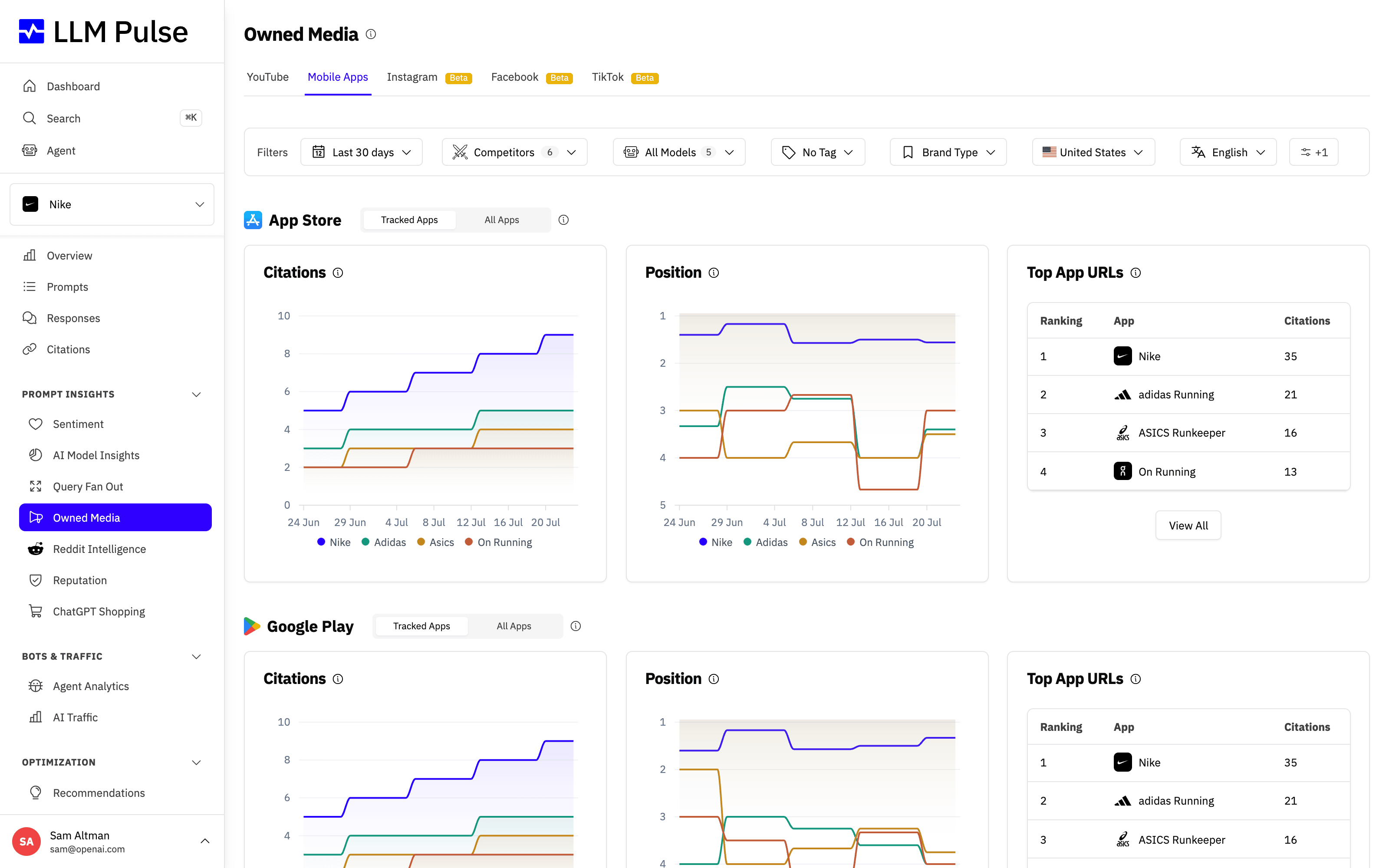
Mobile App Store Analysis tracks when AI models cite mobile apps from the App Store or Google Play. Connect your own listings to separate your citations from competitor apps.
With Mobile App Store Analysis, you can:
- See which prompts make AI models cite your App Store or Google Play listing
- Track your app citation rate over time as you optimize your listing
- Compare how often AI recommends your app versus competitor apps
- Confirm that AI answers about "best apps for X" actually surface your app
App store analysis lives inside the Owned Media area, where you review how your own properties (including your App Store and Google Play listings) surface across AI answers.
What it does
- Detects citations to App Store and Google Play listings in AI responses
- Shows which prompts generate app store citations for your apps
- Tracks competitor app citations alongside yours
- Displays trend charts for app citation rates over time
How to use it
- First, add your app store URLs under Preferences > Project Settings > Owned Media:
- App Store URL (e.g.,
https://apps.apple.com/app/idXXXXXXXXX) - Google Play URL (e.g.,
https://play.google.com/store/apps/details?id=com.example.app)
- App Store URL (e.g.,
- Open Prompt Insights > Owned Media, then choose the Mobile Apps tab. Mobile Apps always stays last in the tab row
- View citation data filtered by AI model, date range, and tags
- Compare your app citations against competitor apps
Tips & notes
- You can open the Mobile Apps tab before connecting a store URL and add it from the inline editor
- App store citation data comes from the same prompt executions as regular citations
- Both your own apps and competitor apps are tracked automatically
- Available on Growth plans and above (requires app store URLs to be configured)









