Mark key moments with annotations on your timeline
Add annotations to your AI visibility charts to mark content changes, algorithm updates, campaigns, and other events. Understand what drives your metric changes by connecting events to visibility shifts.
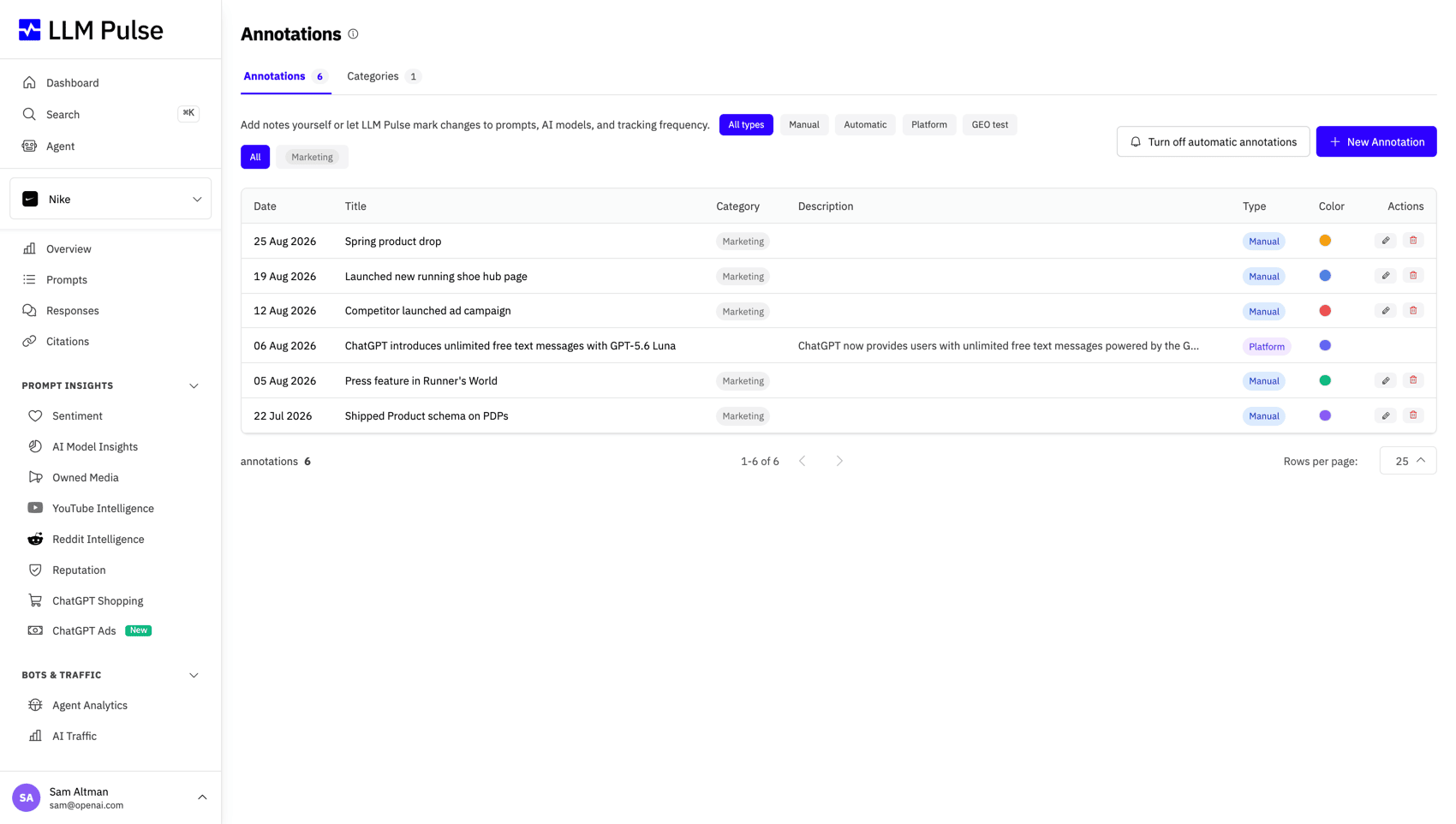
Features
Connect Events to Visibility Changes
Annotations turn raw visibility data into actionable insights by connecting metric changes to the events that caused them.
Pin Events on Your Charts
Add annotations to any date on your visibility timeline. Mark content changes, algorithm updates, or campaign launches to correlate events with metric shifts.
Custom Categories
Create annotation categories with custom colors to organize events by type, such as content updates, technical changes, competitor moves, or team milestones.
Color-Coded Timeline
Each annotation category gets its own color. Instantly distinguish content changes from algorithm updates or campaign launches on your charts.
Project-Wide or Personal
Choose annotation visibility, keep notes personal, share with your project team, or make them system-wide. Control who sees what on the timeline.
Automatic GEO Test Markers
When you create a GEO test, an annotation is automatically added to the timeline. See exactly when tests started and correlate with visibility changes.
Team Context
Give your team the context they need. When someone sees a visibility spike or drop, annotations explain what changed and when.
How Annotations Work
Add context to your visibility data in seconds
-
1
Create an Annotation
Click any point on your visibility timeline or use the annotation panel. Give it a title, description, and pick a date.
-
2
Choose a Category
Assign a category and color to organize your annotation. Create custom categories that match your workflow.
-
3
See It on Your Charts
Annotations appear as colored markers on your visibility timeline. Hover to see details, click to edit.
-
4
Correlate Events with Metrics
Compare visibility before and after annotated events. Understand which changes drove improvements or drops.
Annotation Use Cases
How teams use annotations to understand AI visibility changes
Content Updates
Mark when you published or updated content. See how changes to your pages affect AI visibility over time.
Competitor Moves
Track when competitors launch new content or features. Correlate their actions with changes in your share of voice.
Algorithm Changes
Record when AI models update their algorithms or training data. Understand which updates affected your visibility.
Campaign Launches
Mark campaign start and end dates. Measure the AI visibility impact of your marketing initiatives.
"LLM Pulse is a pioneering response to the need to measure performance across different LLMs. At TecnoCampus we need maximum transparency, the ability to parameterize results and to carry out visibility audits for our brand, now also in the increasingly established field of AI. LLM Pulse gives us all of that in a single place."

Frequently Asked Questions
Common questions about using annotations in LLM Pulse.
Ready to add context to your data?
Start annotating your visibility timeline and never wonder why metrics changed again.
Trusted by 7,000+ users worldwide