How to create a project
A project is how you track one brand across AI search engines like ChatGPT, Perplexity, and Gemini. Here is how to create one in LLM Pulse, step by step.
Where to start
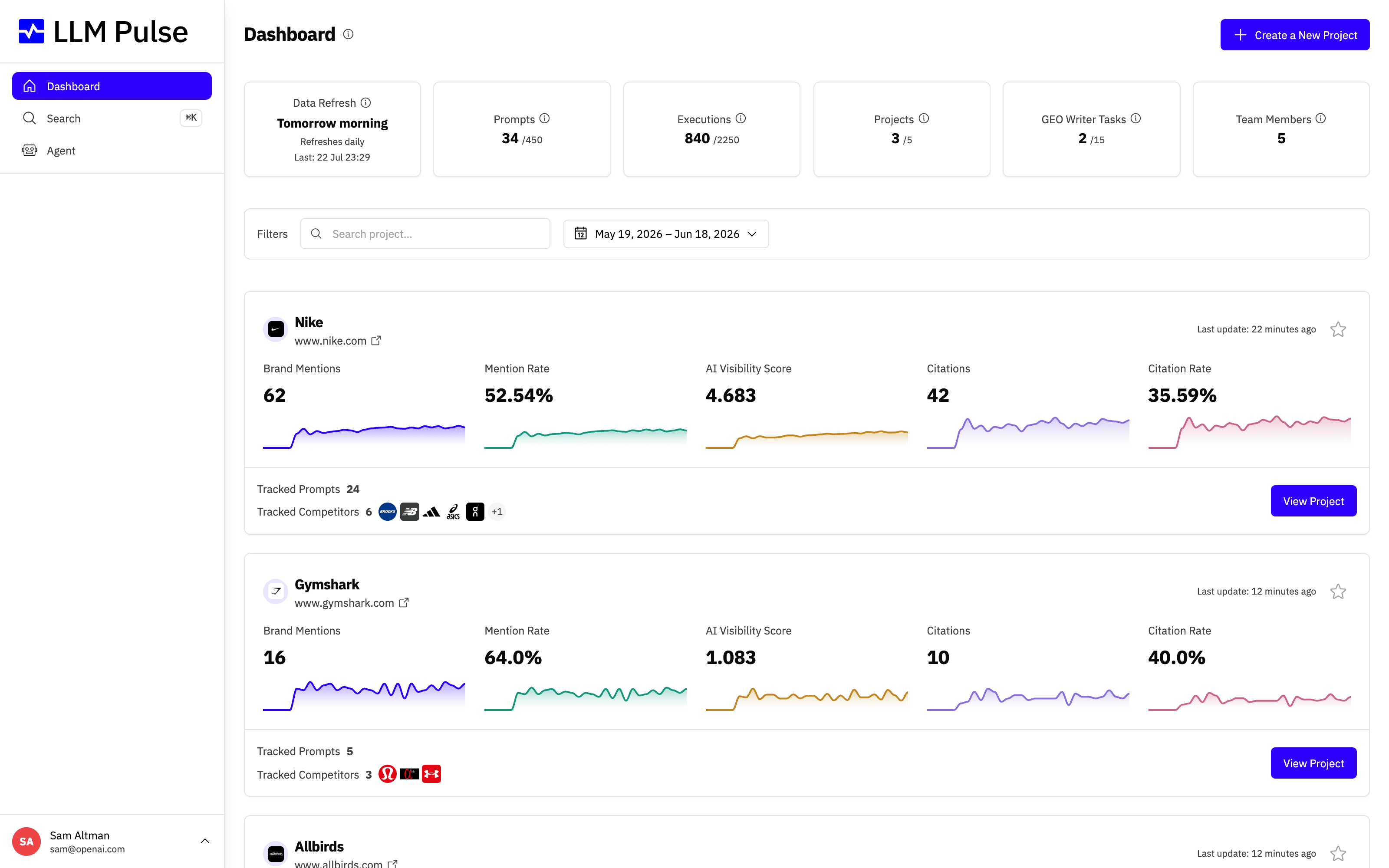
From the dashboard, click the Create a New Project button. If you are signing up for the first time, this screen opens automatically, so you can jump straight into setup.
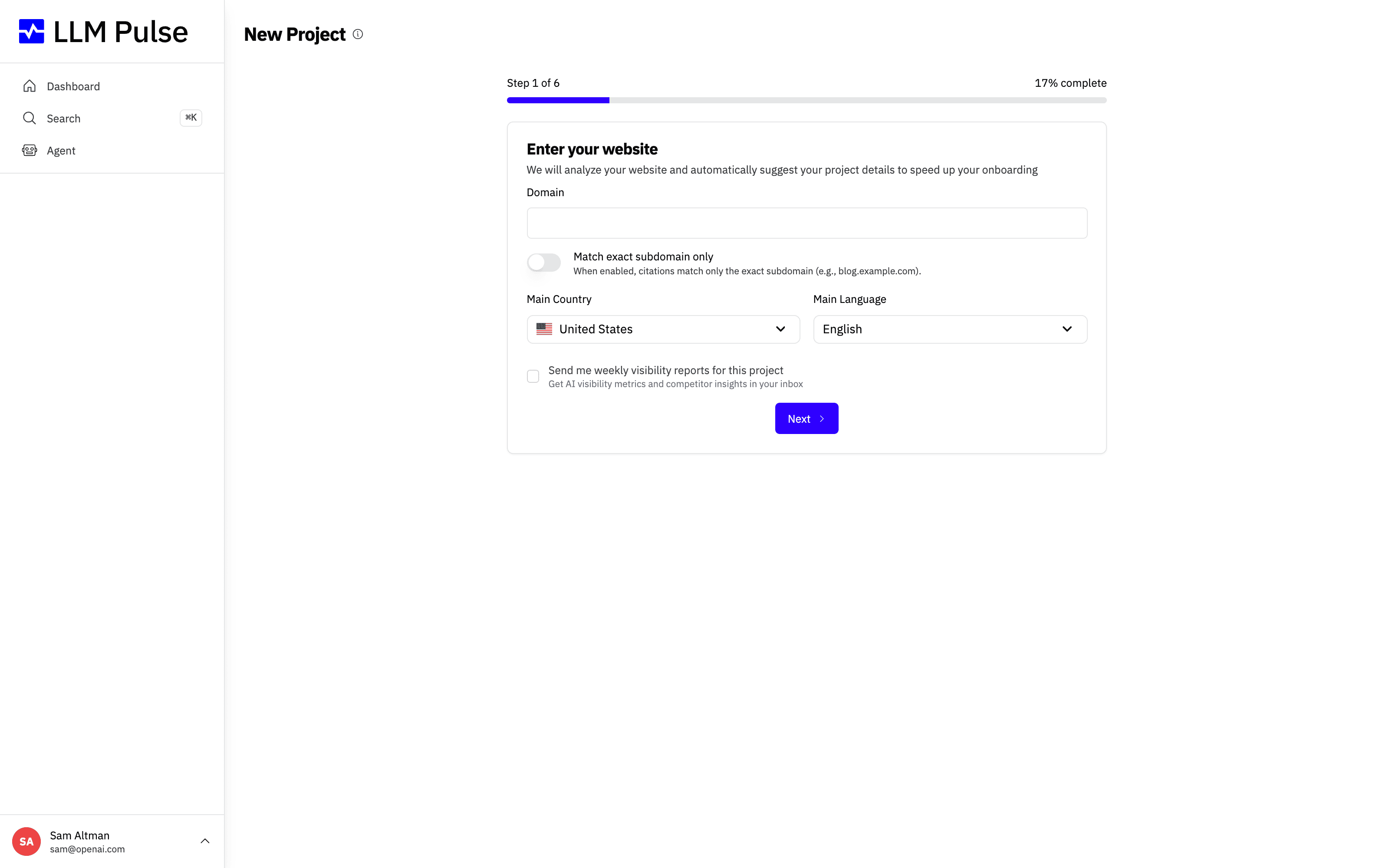
Step 1: Enter your website
In the first step of the wizard, type your website domain, then choose the main country and main language you want to track. These settings tell LLM Pulse where and how your audience searches, so the data reflects the right market. When everything looks right, click Next.
Your setup is saved as an unfinished draft for your signed-in user in the current browser tab. If you refresh while creating the project, the wizard restores the details and prompts you entered. The draft is cleared after the project is created. If you confirm the in-app warning to leave, the draft is cleared; staying in the wizard keeps it.
The remaining steps
After you submit your website, LLM Pulse analyzes it with AI and prefills the rest of the setup for you. You only need to review and confirm a few details:
- Review project details. Check the project name, industry, description and matching names. The matching names help us correctly attribute mentions to your brand across AI answers. Adjust anything that is not quite right. If you return to the website step without changing the website, country or language, your edits stay in place.
- Add prompts. Pick from the AI-suggested prompts generated from your website, or add your own. Prompts are the questions we run against every AI model you track (ChatGPT, Perplexity, Gemini, Google AI Mode and Google AI Overviews), so choose the ones that matter most to your audience.
- Add competitors. Add the brands you want to benchmark against. This powers your share of voice and competitive comparisons.
- Connect your owned media (optional, Growth and above). Paste the exact public URL of each profile your brand owns: YouTube channel, Instagram profile, Facebook Page, TikTok profile, App Store listing and Google Play listing. This powers Owned Media and YouTube Intelligence. You can skip this step and add the URLs later under Preferences > Project Settings > Owned Media.
- Finish setup. Review the project summary and confirm. Once you finish, LLM Pulse starts collecting data and your first results appear as executions complete.
That's it. Your project is live and ready to track your brand's visibility across AI search.









