How to add prompts to a project
Adding prompts in LLM Pulse is intentionally simple.
You can create them in several ways, depending on how structured or exploratory you want to be.
You do not need to overthink it. The goal is to start collecting real AI visibility data as quickly as possible.
Every method lives in one place: Prompt Research. From a single topic search box you can add prompts manually, in bulk, or generate them from People Also Ask questions, Google Search Console, Reddit Insights, topics, Keyword to Prompts, translations, and reputational angles.
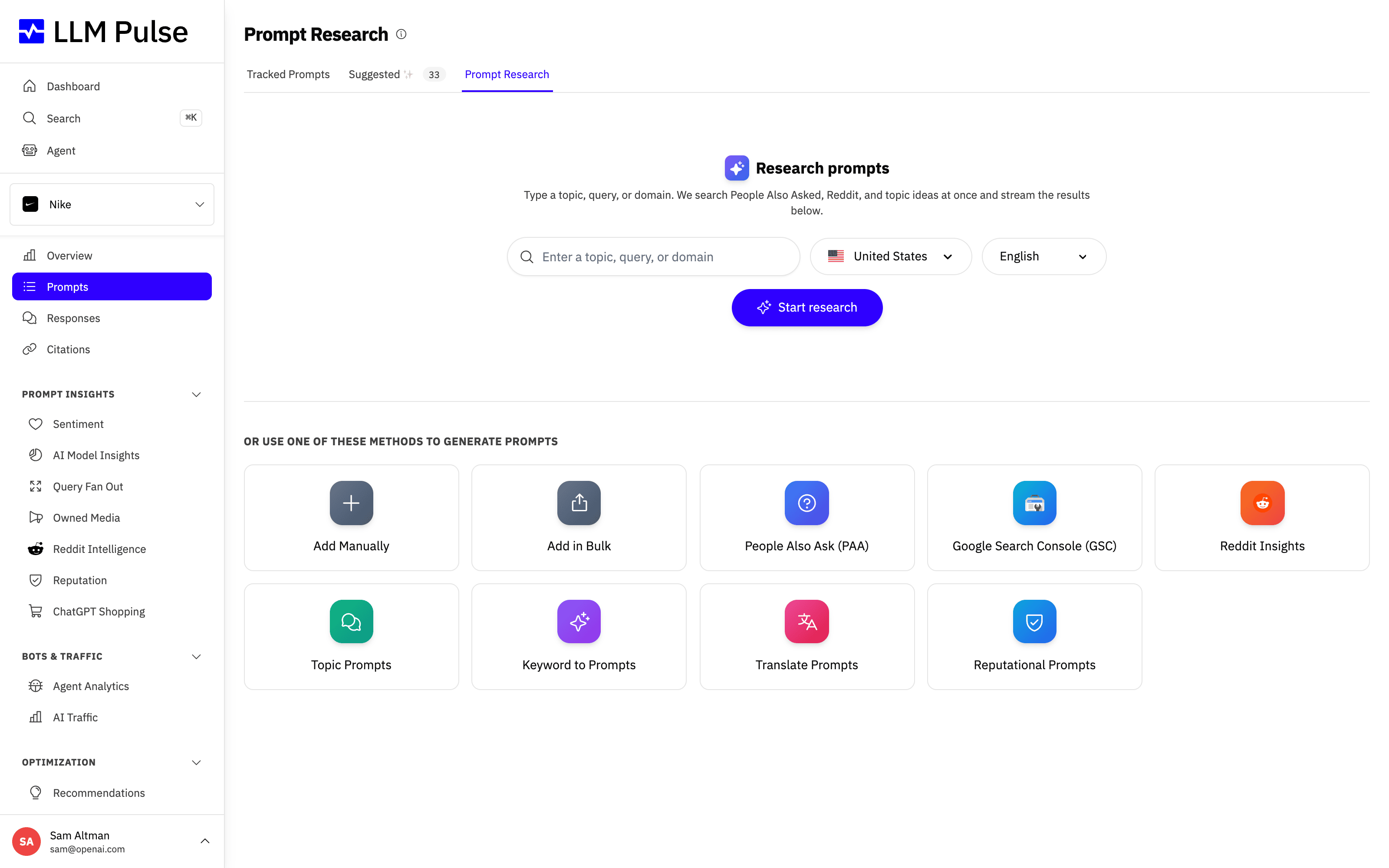
You can mix any of these methods within the same project. The sections below explain when each one is the right choice.
1. AI-generated prompts
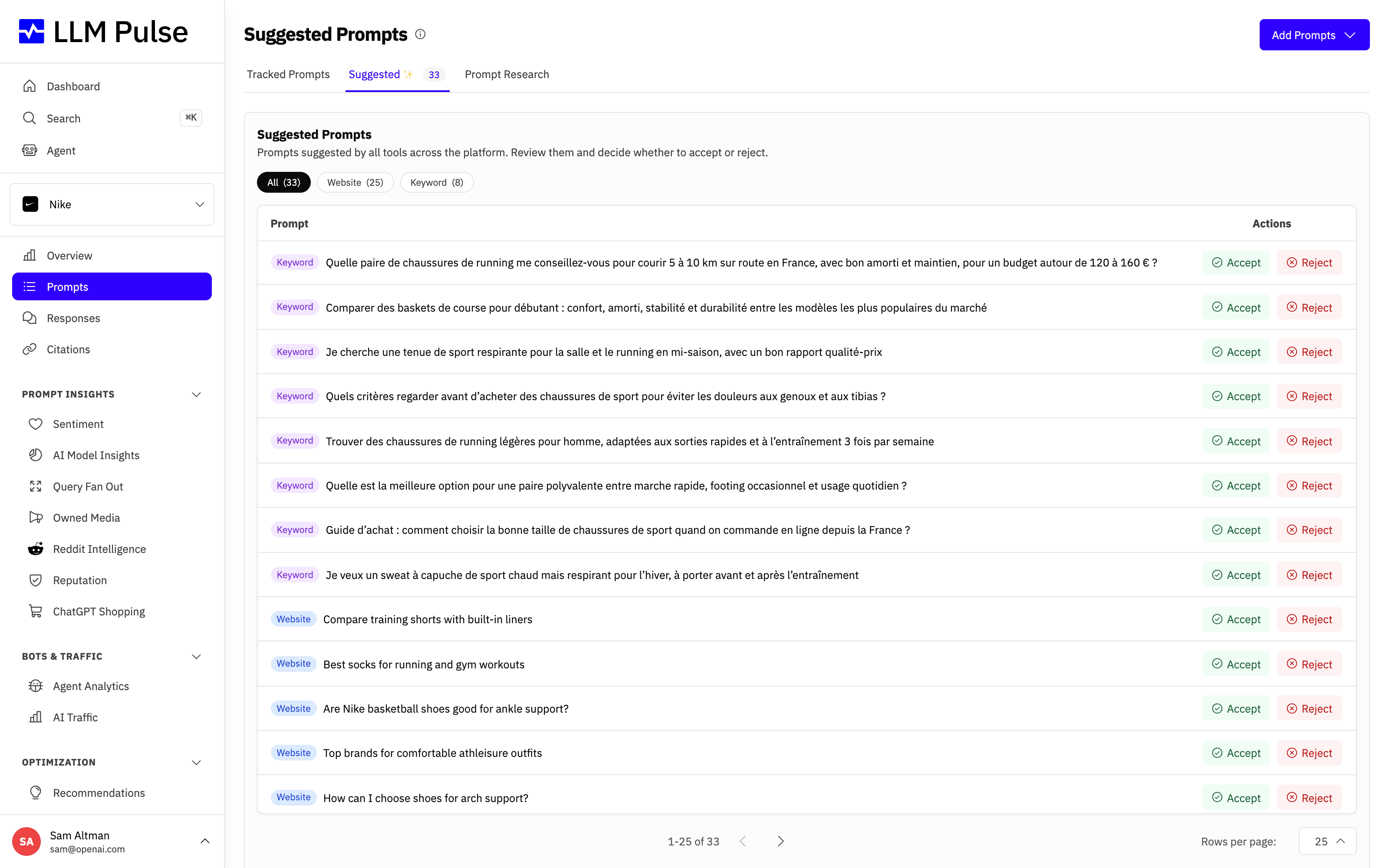
When you create a new project, LLM Pulse automatically suggests an initial set of prompts based on the project context, so you can start tracking AI visibility immediately.
Prompt discovery continues over time. New ideas are regularly suggested under Prompts > Suggested, allowing you to expand and refine what you monitor as the project evolves.
This makes prompt research an ongoing process, ensuring your visibility analysis stays relevant as your focus changes.
2. Manual prompts (single or bulk)
You can also add prompts manually whenever you need to. This is useful when you already know what you want to track and prefer full control over the setup. Choose "Add Manually" to create prompts one by one, or "Add in Bulk" to paste a list at once. This makes it easy to reuse existing prompt lists, migrate setups from other tools, or scale your projects without friction.
When you add a prompt manually, you can also pick the target countries and languages it should run in, so your tracking reflects the markets that matter to you.
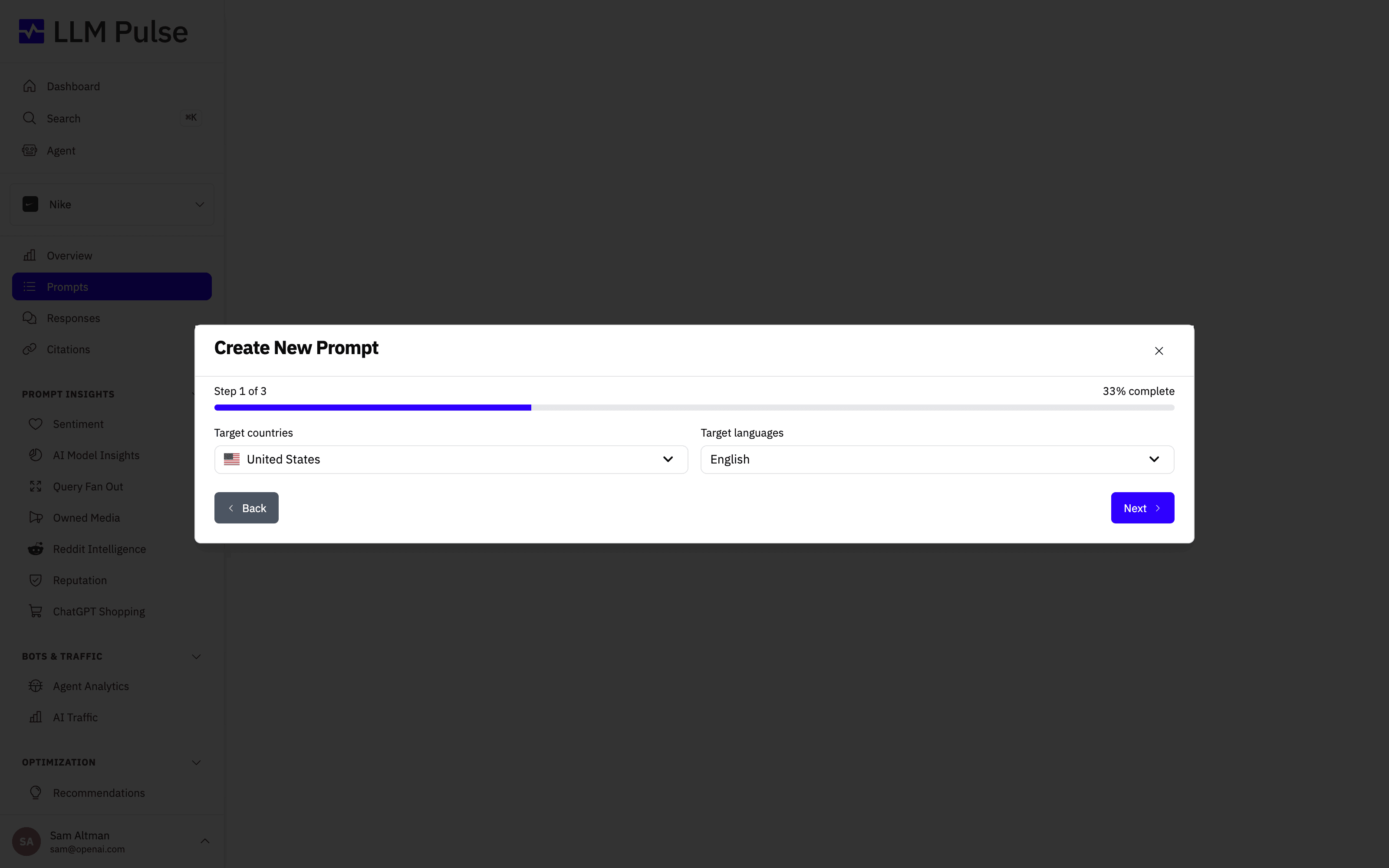
An unfinished Add Prompts modal draft survives a page refresh in the same browser tab. Reopen the modal to restore the prompt list, current step, country, language and tag. Drafts are scoped to your signed-in user and project, and clear after a successful create or when you explicitly close the modal.
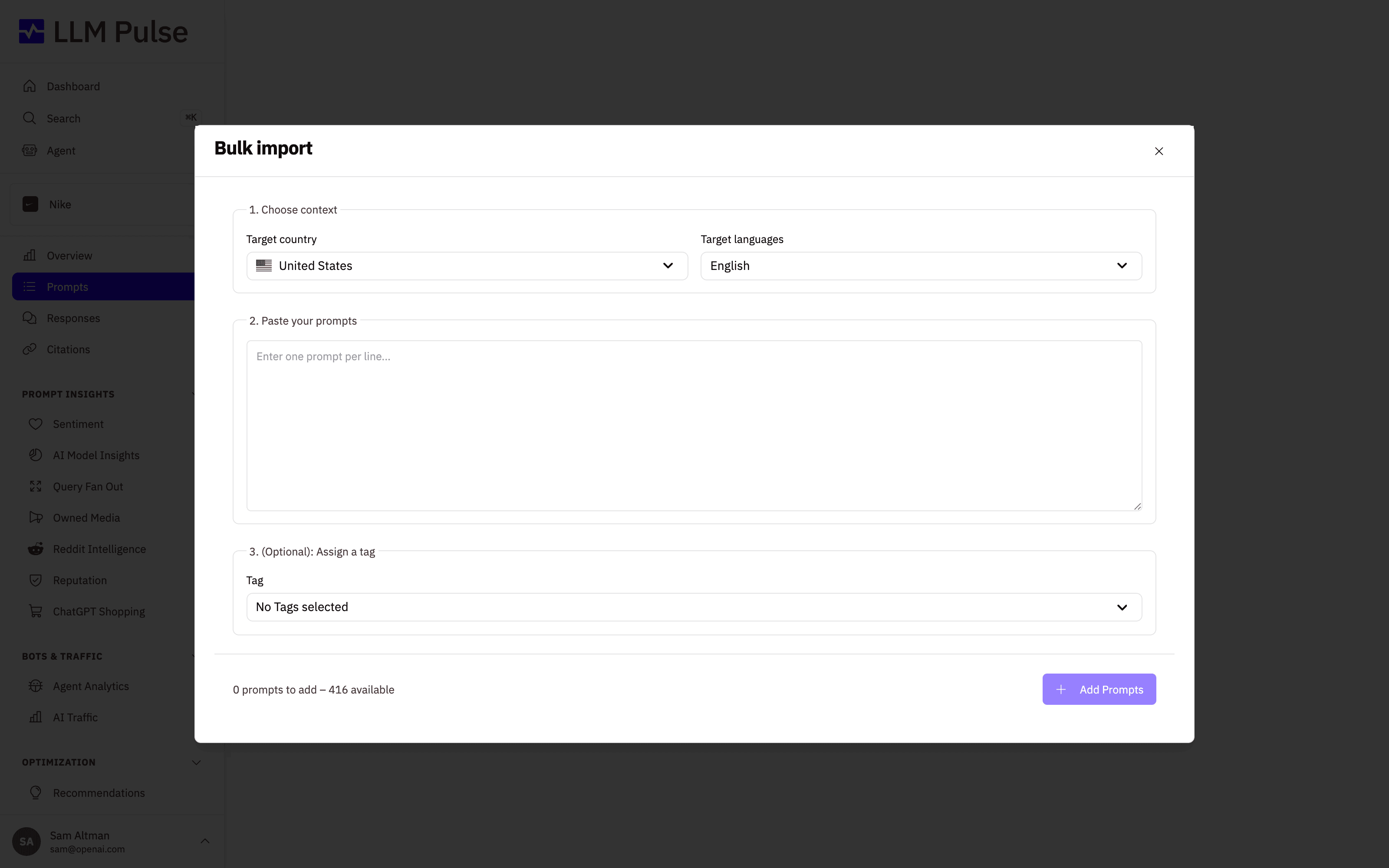
To add many prompts at once, choose "Add in Bulk", pick the target country and language, and paste one prompt per line. You can optionally assign a tag before importing them all together.
If your prompts live in a spreadsheet or another AI visibility tool, choose "Import from CSV" instead. Upload a .csv file with a prompt column and, optionally, country, language and tags columns (separate multiple tags with a pipe). You can download a ready-made template from the modal, and country or language cells left empty fall back to the project defaults. Tags that do not exist yet are created automatically, and duplicate prompts are skipped, so migrating a fully tagged prompt set from another tool takes a single upload. One import gives a prompt up to 50 tags, counting every row that repeats it, and creates up to 500 new tags. A row over either limit is skipped and reported when the import finishes, and importing the same file again adds the rows skipped for the new-tag limit.
Team members also need the Create permission for Tags before an import can create tags, and the Update permission for Prompts before it can add tags to prompts that already exist. A row that needs a permission they do not have is skipped and reported when the import finishes.
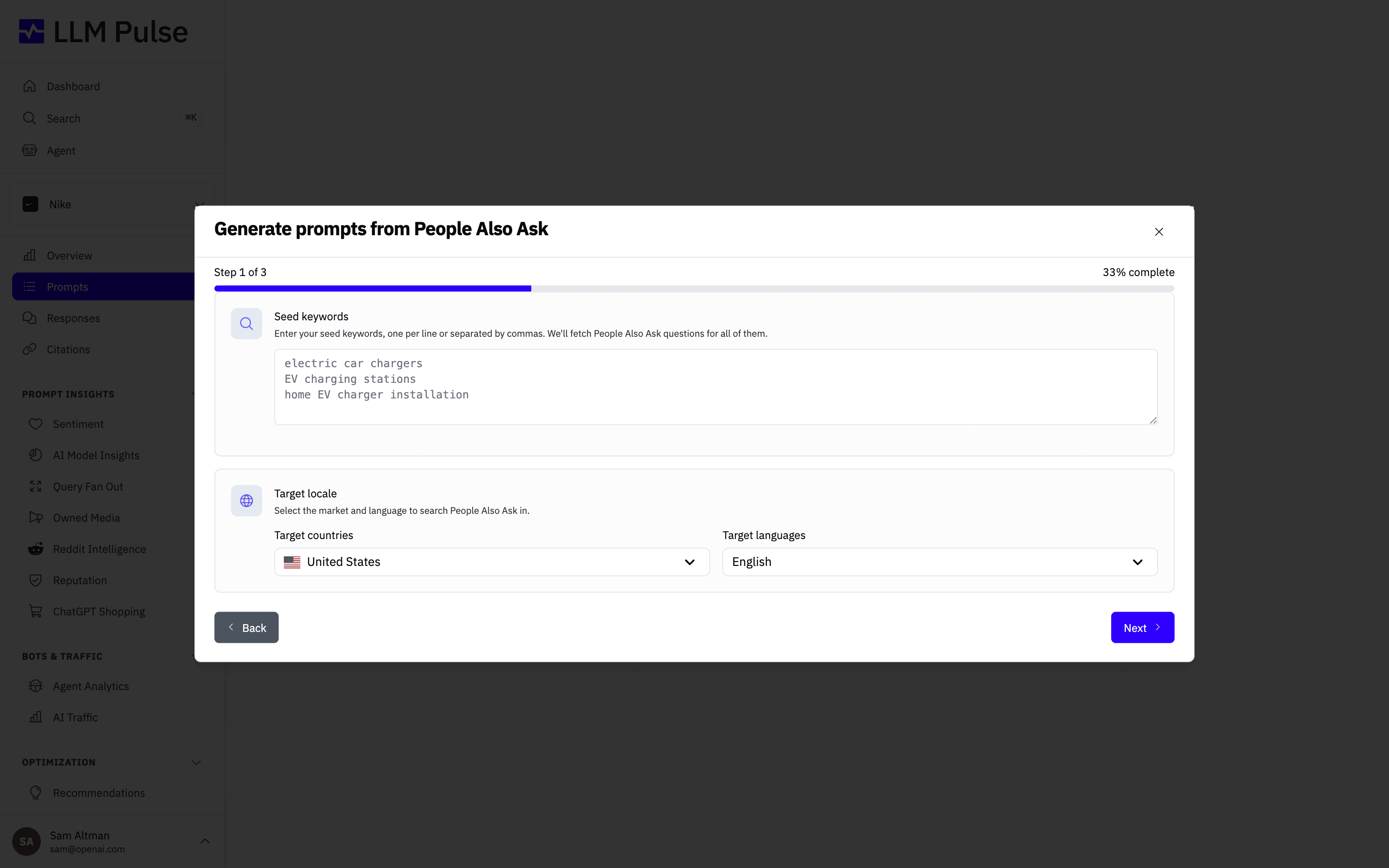
3. Google PAA (People Also Ask)
You can generate prompts directly from Google People Also Ask questions. This helps connect traditional search intent with the way users phrase questions in AI assistants.
You can do this using one or multiple keywords. It is especially useful if you already work with SEO data, since it lets you extend existing research into LLMs without changing your workflow.
This is done from Prompt Research, then selecting "People Also Ask".
Each keyword is looked up once, however it is capitalized, and the modal shows its progress as the lookups finish. An account, owner and team members together, can run up to 1,000 People Also Ask keyword lookups in any 24 hours, and each topic search in Prompt Research counts as one. Lookups that fail do not count. If you reach the limit, LLM Pulse tells you, and lookups become available again as earlier ones pass the 24-hour mark.
4. Keyword-based prompts
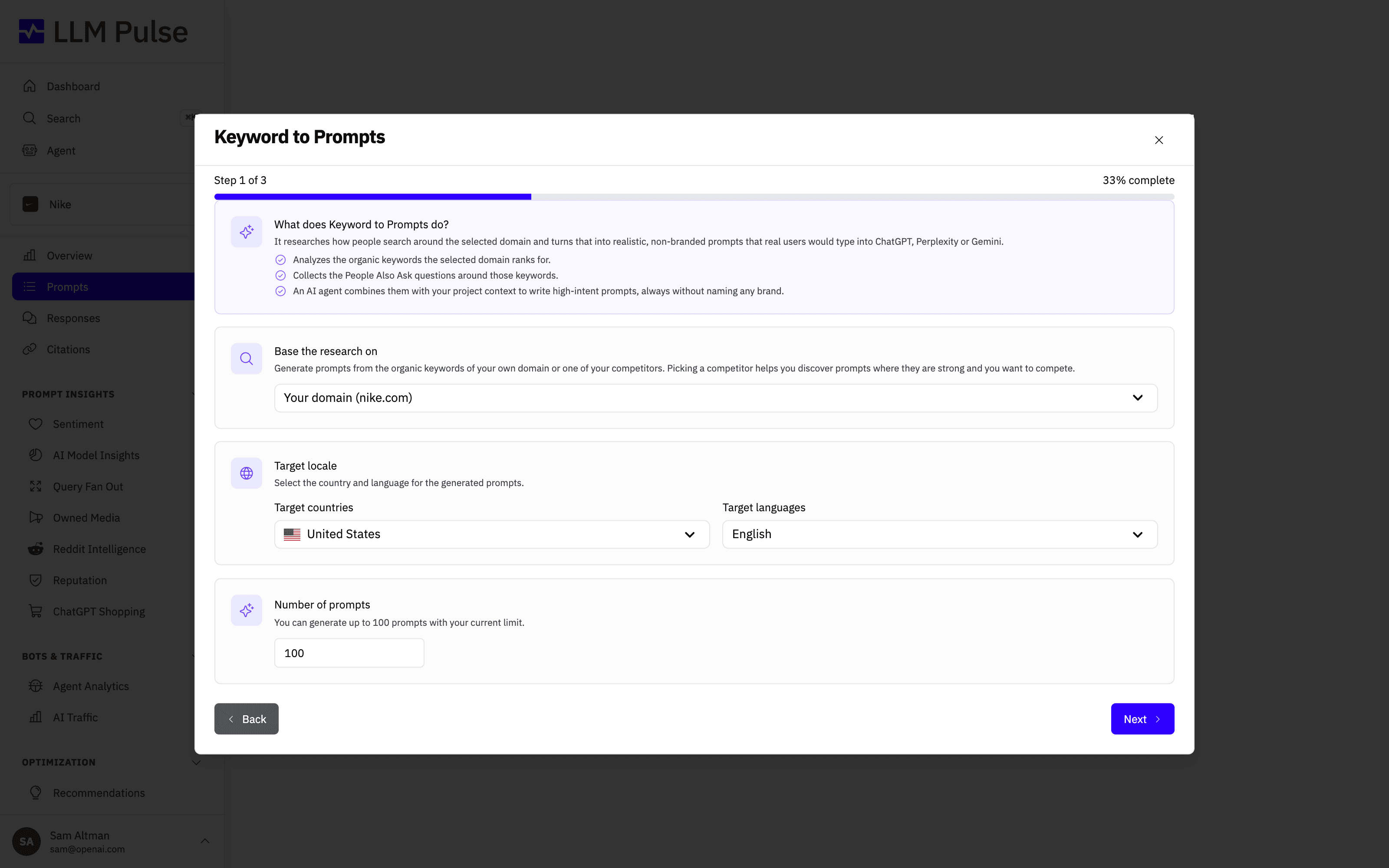
Keyword to Prompts can start from a topic, brand, keyword, full query, complete prompt, or domain. LLM Pulse keeps that exact input as the main subject, finds the most closely related search terms for the selected country and language, and converts them into natural prompts that reflect how users search in LLMs. When you start from your own domain or a configured competitor, the generated prompts stay non-branded.
This is ideal when you want tightly focused variations around a specific idea without letting the broader project context take over. If you want to focus on queries that already drive organic visibility, use "Google Search Console" instead. You can access both options from Prompt Research.
When you connect Google Search Console you can choose to keep the connection (recommended) so your Search Console data stays synced and is available through the API and MCP connector, or run a one-time read that stores nothing. Keeping connected is available on the Growth plan and above.
Google Search Console in white-label and embed portals
A Full white label portal on your own domain connects Google Search Console itself, from Project Settings. Google's consent screen shows a neutral app name instead of LLM Pulse. Embedded dashboards cannot connect it, so connect Search Console for those projects from the main LLM Pulse workspace.
In both cases, the Google Search Console method in Prompt Research stays hidden until the selected project has a connection. Once it is connected, the method appears and works with that property.
5. Topic-based prompts
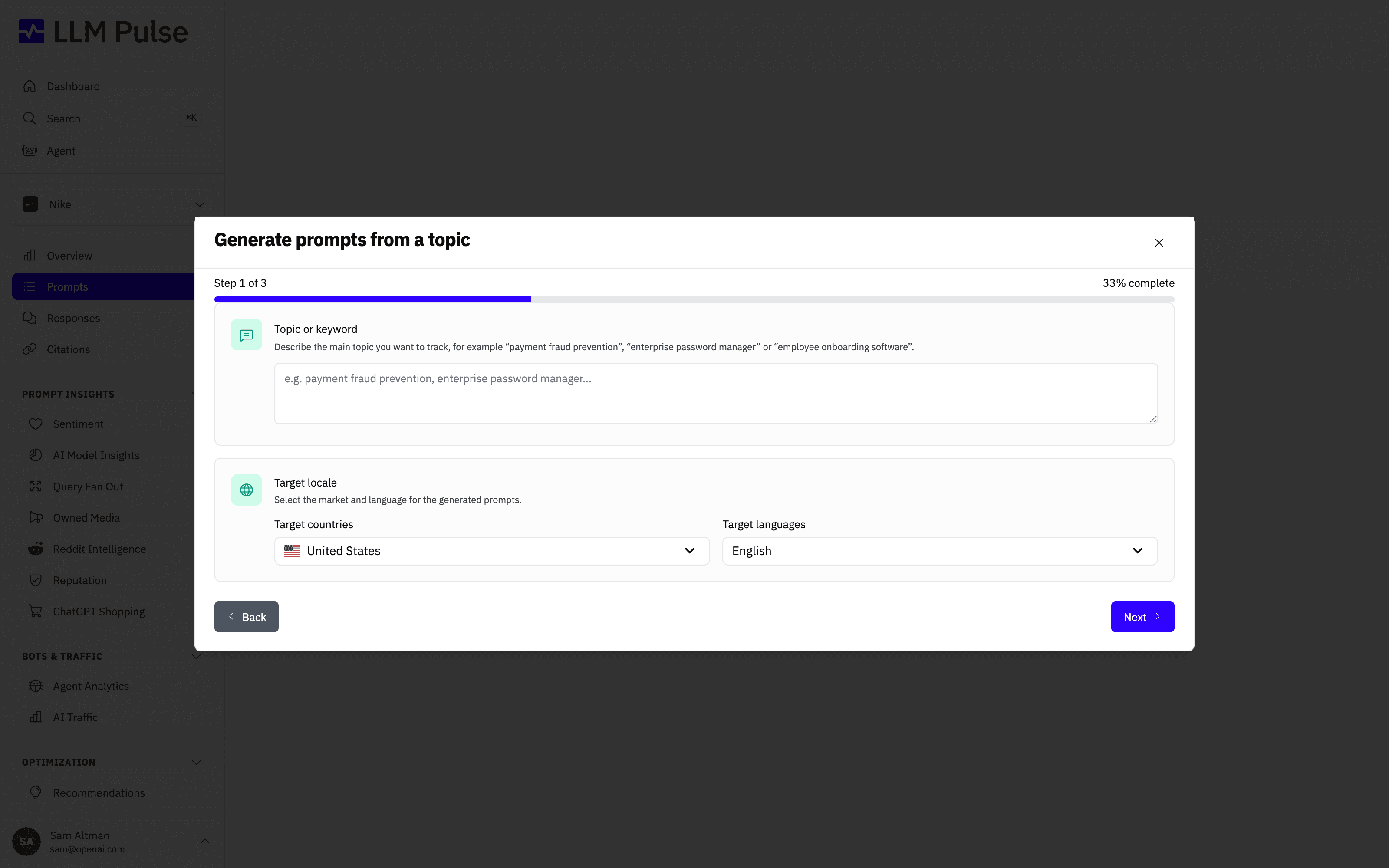
You can create prompts by defining specific topics. LLM Pulse will generate natural-language prompts like the ones potential customers ask about those topics while comparing options and deciding what to buy.
This approach works well when you want to monitor a concept, product category, or problem space. You can do this from "Topic Prompts" in Prompt Research. You can also use "Reddit Insights" to surface questions real people are asking, "Translate Prompts" to extend your tracking into other languages, and "Reputational Prompts" to monitor how AI models talk about your brand.
Adding a new market (country and language)
A common question is where to add a market or a country to an existing project. There is no market list in Project Settings, because in LLM Pulse a market is a country and language pair on each prompt, not a project-level setting.
That means one project can track as many markets as you want. The country and language shown on the project itself are only the defaults applied to new prompts and to the GEO tools. Changing them does not move the prompts you already have.
To open a new market:
- Go to Prompts and choose Translate Prompts in Prompt Research. Pick the source locale (the market you already track), then the target country and language. Your prompts are localized for the new market, with brand names preserved. This is the fastest route when you want to mirror an existing set.
- Or add the prompts directly with Add Manually, Add in Bulk or Import from CSV, selecting the new country and language in the configuration step. With CSV you can set a different country and language per row.
- Assign a tag per market (for example "France" or "Mexico") so you can compare markets later on the dashboard and in reports.
Three things worth knowing before you start:
- Each country and language combination is a separate prompt and uses a prompt slot. The same question tracked in Spain and in France counts as two prompts against your plan allowance. The review step always shows the exact number of prompts that will be created.
- Once the prompts exist, you can filter by country and language on the Overview, Prompts, Responses and Citations views, so each market can be analyzed on its own.
- ChatGPT answers a few countries from a nearby market. Where our data source does not cover a country for ChatGPT, the prompt is answered from the nearest covered market, still in the prompt's own language. China, Hong Kong and Macao are answered from Taiwan, Belarus from Poland, Venezuela from Colombia, a few other countries from a neighboring market, and territories such as Puerto Rico, Guam or the Isle of Man from their sovereign country. The prompt keeps its own country in every report and filter.
Prompt length
Keep each prompt short, like a question someone would type into an AI assistant. Tracking on Google AI Mode and Google AI Overviews supports prompts of up to 700 characters, and tracking on ChatGPT and Gemini supports prompts of up to 2,000 characters. A longer prompt is still added and tracked on your other models, but the models whose limit it passes skip it, so it has no answers from them. You see a warning when you add such a prompt, and the prompt's page names the models that skip it. Shorten the prompt to track it on every model.
When you reach your prompt limit
Two limits apply when you add prompts: your plan's prompt allowance, shared by the whole account, and a cap on the project. The project cap is a limit the account owner can set on a single project, or the account's hard cap per project, which applies to every project, new ones included, and wins when it is lower. Whichever leaves less room is the one that counts. Prompts the project already tracks don't count again if you submit them a second time. While you pick prompts, the wizard warns you in amber when your selection doesn't fit.
When the new prompts don't fit, every add-prompts option on the Prompts page, including CSV import and accepting a suggested prompt, opens a "Prompt limit reached" message. It says what is full, for example "This account uses 500 of 500 prompts." or "This project is capped at 50 prompts and uses 50.". When some room is left, it also says how many new prompts you submitted and how many fit. Then it offers the next step:
- Account owners and members with billing access can upgrade the plan from the message.
- When a project cap is full, the account owner or an account admin can change it in Account Settings > Prompt Limits, except the account's hard cap per project, which only the owner or an account admin with access to every project can change.
- Anyone allowed to delete prompts can open the prompt list from the message, since deleting prompts you no longer need frees room.
- Other team members are asked to contact the account owner.
AI generation limit
Each person on the account can start up to 60 AI generation runs in any hour. Project setup suggestions, AI suggestions in Add prompts, Keyword to Prompts, Topic Prompts, Translate Prompts, Reddit Insights, Reputational Prompts, new website suggestions in the Suggested tab, Create Tags with AI, Discover competitors and suggestion runs through the API or an AI assistant all share this limit. A team member's competitor discovery counts toward the account owner's runs. A topic search in Prompt Research counts as four runs, one for each section of results. In the app, the People Also Ask and Google Search Console methods, and prompts you add yourself, do not count; every run started through the API or an AI assistant counts, whatever its source. A run counts once it starts, even if it fails.
Inside an embedded dashboard, each embedded project has its own 60 runs an hour, separate from the account owner's and from every other embedded project. If you reach the limit, a message tells you so, and runs become available again as earlier ones pass the one-hour mark. Discover competitors is the exception: a discovery started at the limit finds nothing new, keeps any saved suggestions as they were and shows no message, and you can run it again once its usual 24-hour wait has passed.
Conclusions
You can mix all these methods within the same project. There is no "correct" setup. Start simple, review the data, and iterate as you learn what really matters for your use case. Each prompt you add is automatically monitored across every AI model you track (ChatGPT, Perplexity, Gemini, Google AI Mode and Google AI Overviews), so you get consistent and comparable visibility data from day one, without any extra setup.
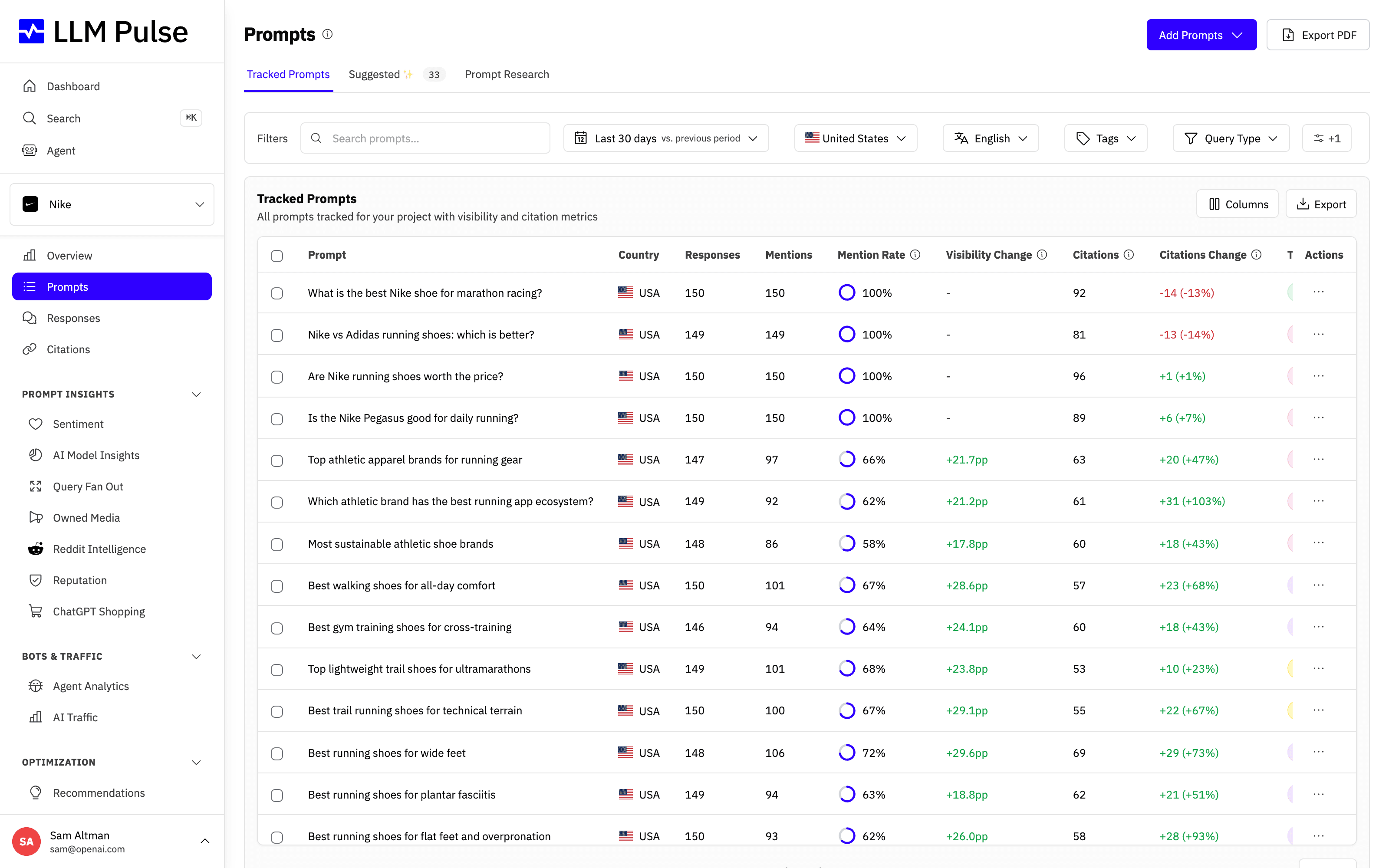
Once added, every prompt appears in the Prompts tab with its own mention rate, citations, and week-over-week change, so you can see at a glance which queries you already win and where there is room to grow.
Adding prompts should never be a bottleneck. LLM Pulse is built to remove friction from the process, so you can spend your time analyzing insights and making decisions, not configuring the tool.









