Create your first AI visibility project
A project in LLM Pulse represents a brand or website you want to track across AI search engines. The onboarding wizard guides you through setup in a few minutes.
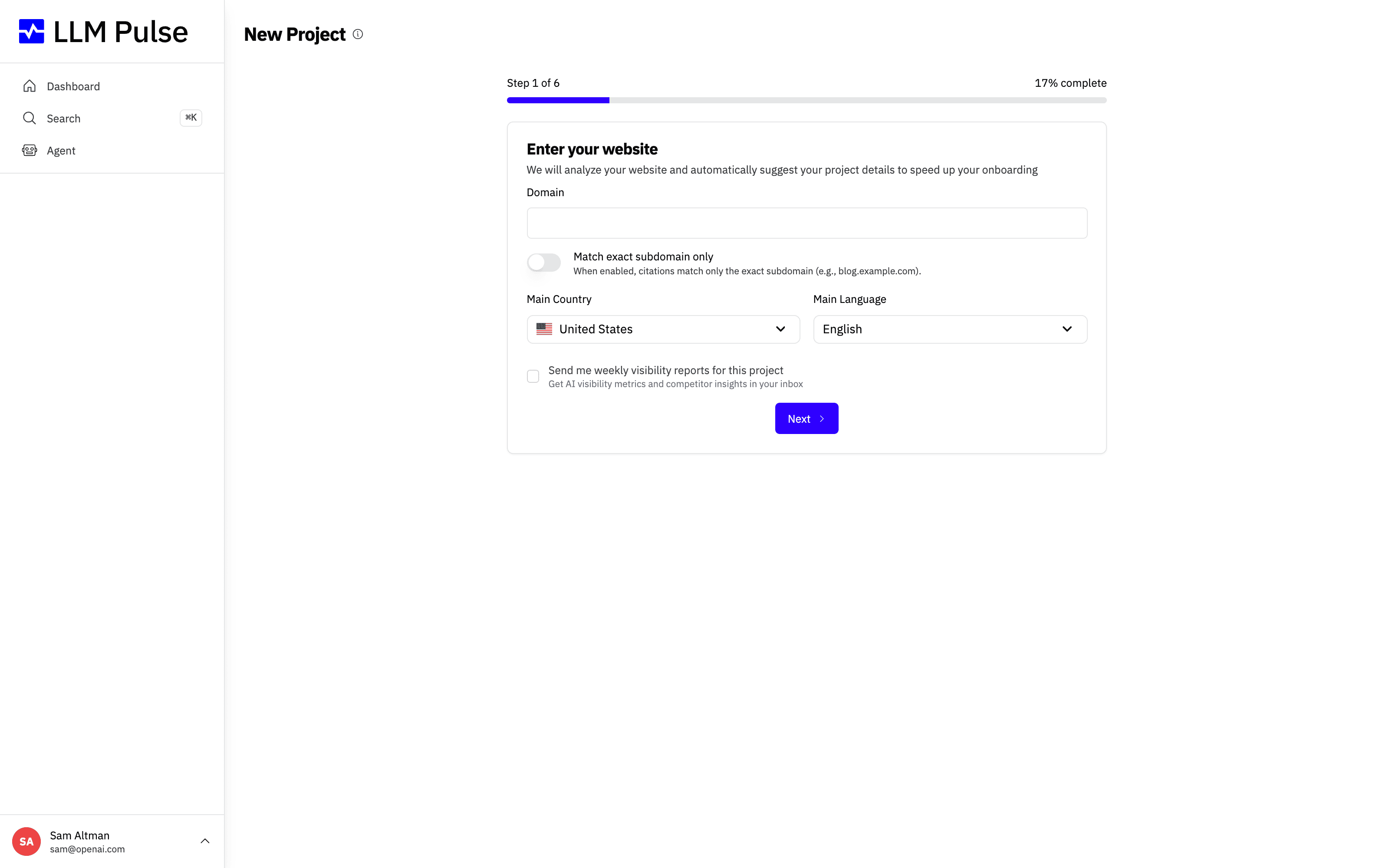
The first step of the wizard asks for the essentials: your website domain, the main country you want to track in, and the main language for AI queries.
What it does
- Creates a tracking project linked to your website domain
- Configures your target country and language for prompt execution
- Sets up your brand matching names (how AI models might reference your brand)
- Optionally adds initial prompts and competitors during setup
How to use it
- Click Create a New Project from the Dashboard or use the sidebar project switcher
- Enter your website URL, LLM Pulse will automatically detect your brand name, industry, and description
- Select your primary country and language (this determines the locale for AI queries)
- Review and adjust your brand matching names (variations of your brand name that AI models might use)
- Add initial prompts, use the AI-powered suggestions or enter your own
- Optionally add competitors to track alongside your brand
- Optionally connect your owned media (Growth and above): paste the URLs of the YouTube channel, Instagram profile, Facebook Page, TikTok profile and app store listings your brand owns, or skip and add them later under Preferences > Project Settings > Owned Media
- Click Create Project: your prompts will be queued and get their first data within about 24 hours
Choose which citations count as yours
Under Citation ownership, below the website, the first step asks which cited pages belong to your brand:
- Whole domain and all subdomains (the default): citations to the domain and every subdomain count, for example example.com, www.example.com and blog.example.com.
- Only the exact host entered above: only citations to the host in Website count, for example shop.example.com.
-
Only that host and a path: only citations to that host at a path or below it count. Use it when a brand or category lives under a path, such as
/home-and-garden.
Path matching is case-sensitive and follows whole path segments: /home-and-garden includes /home-and-garden and /home-and-garden/sofas, but not /home-and-gardening. A trailing slash is optional, and query parameters and fragments are ignored.
If you paste a page URL such as https://retailer.com/home-and-garden, the wizard keeps it and fills in its path for the path option, but citations keep counting for the whole domain until you choose Only that host and a path. The summary step shows the scope you chose.
This setting only decides which citations count as yours. Brand mentions still come from your brand name and matching names, and your prompts decide which topics and audience you track.
Choosing the scope while you create the project starts no waiting period. Later changes are made by the account owner under Preferences > Project Settings > General Information > Edit brand tracking, at most once every 7 days, and reprocess past citations: see How to change a project domain.
Project name and brand name
After creating a project, you can keep its workspace label separate from the brand you track under Preferences > Project Settings > General Information.
- Project name is the internal label shown in the project switcher, Project Settings and deletion confirmations.
- Brand name is the identity shown in analytics, reports, exports, emails and AI suggestions. It is also used for mention and sentiment detection together with your matching names.
- If you leave the brand name blank, LLM Pulse uses the project name. If the two names differ, brand-facing results use the brand name.
- The project name does not become a matching name automatically. Add it under Brand Detection (Matching names) only if AI models genuinely use it to refer to your brand.
Tips & notes
- The number of projects you can create depends on your plan (Starter: 1, Growth: 2, Scale: 5, Scale+: 10, Scale++: 15)
- You can change country, language, and matching names later under Preferences > Project Settings > General Information
- New prompts are picked up by a nightly run, so your first results arrive within about 24 hours of creating the project. After that first run, prompts refresh weekly on Mondays by default, or daily or monthly if configured.
- The website you enter, together with its citation scope, decides which citations count as yours, so make sure it is the site your brand owns









