Add competitors to benchmark AI share of voice
Competitors let you benchmark your brand's AI visibility against other players in your market. LLM Pulse tracks their mentions, citations, and sentiment in the same AI responses as yours.
What it does
- Tracks competitor brand mentions across all AI model responses for your prompts
- Compares visibility scores, citation rates, and sentiment between you and competitors
- Calculates Share of Voice showing your brand's mention share vs the competition
- Identifies which prompts favor competitors over your brand
How to use it
- Navigate to Competitors in the sidebar (under Preferences)
- Click Add Competitor to add manually, enter their brand name and domain
- Or switch to the Suggested tab. Use Brand discovery for direct competitors researched from your website and market, or Based on citations to review frequently cited domains separately
- Configure matching names for each competitor (brand name variations the AI might use)
- Set custom chart colors per competitor for easy visual identification
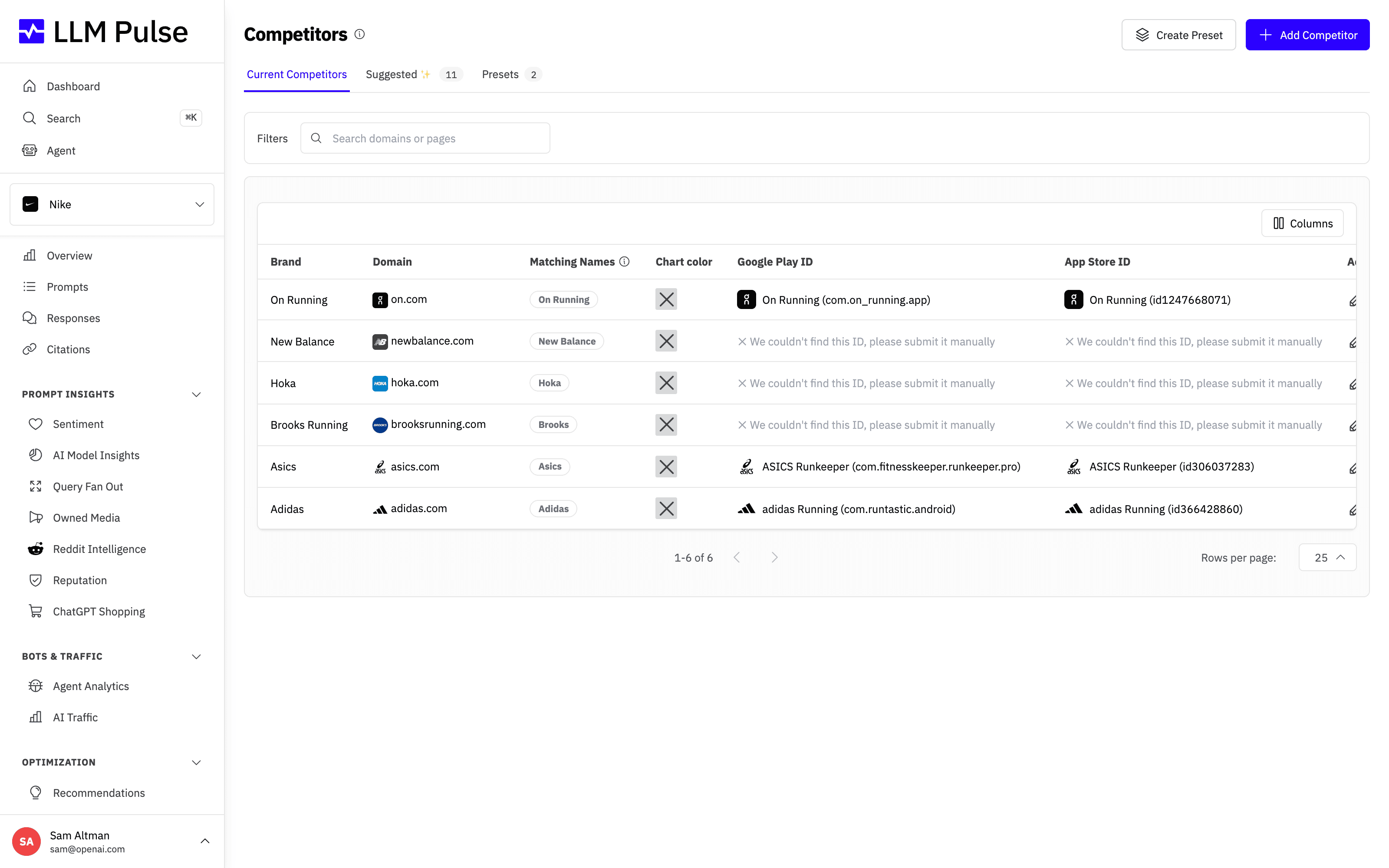
Once added, each competitor appears on the Competitors page with its domain, matching names, and chart color, so you can review and edit them at a glance.
How Brand discovery decides
Brand discovery uses the same research as project setup. It reads your website and business context, searches your market, and verifies that each suggested company competes directly with your core business. A product maker is not treated as a competitor merely because its products are sold through your marketplace or store, and owned brands and subsidiaries are excluded. If every qualified competitor is already tracked, discovery may return no new suggestions.
Tips & notes
- The number of competitors per project depends on your plan (Starter: 10, Growth: 15, Scale: 20)
- Matching names use word-boundary matching: "Apple" matches "Apple Watch" but not "Pineapple"
- Competitor data appears in Overview, Sentiment, AI Model Insights, and Share of Voice
- You can add competitors at any time, historical data will be reprocessed for new competitors
- Suggestions from project setup that you do not select are saved automatically in Brand discovery. After setup, discovery runs only when you press Discover competitors. The saved result stays available, and you can refresh it at most once every 24 hours per project. Citation sources such as publishers, review sites, marketplaces, and search portals are excluded unless they directly compete in your category.
- Based on citations is the original domain list. It ranks domains from your tracked citations without deciding whether each one is a brand, publisher, retailer, marketplace, or another type of source.
- Brand Type treats retailers, marketplaces, publishers, review sites, social networks, and distribution channels as Other Competitors only when they genuinely compete with your project's business category.









