API keys: authenticate REST, CLI, SDKs, and MCP
API Keys authenticate your programmatic access to LLM Pulse data. Use them with the REST API, native Rust CLI, official SDKs, MCP integration, and Looker Studio connector. Available on Scale plans and above.
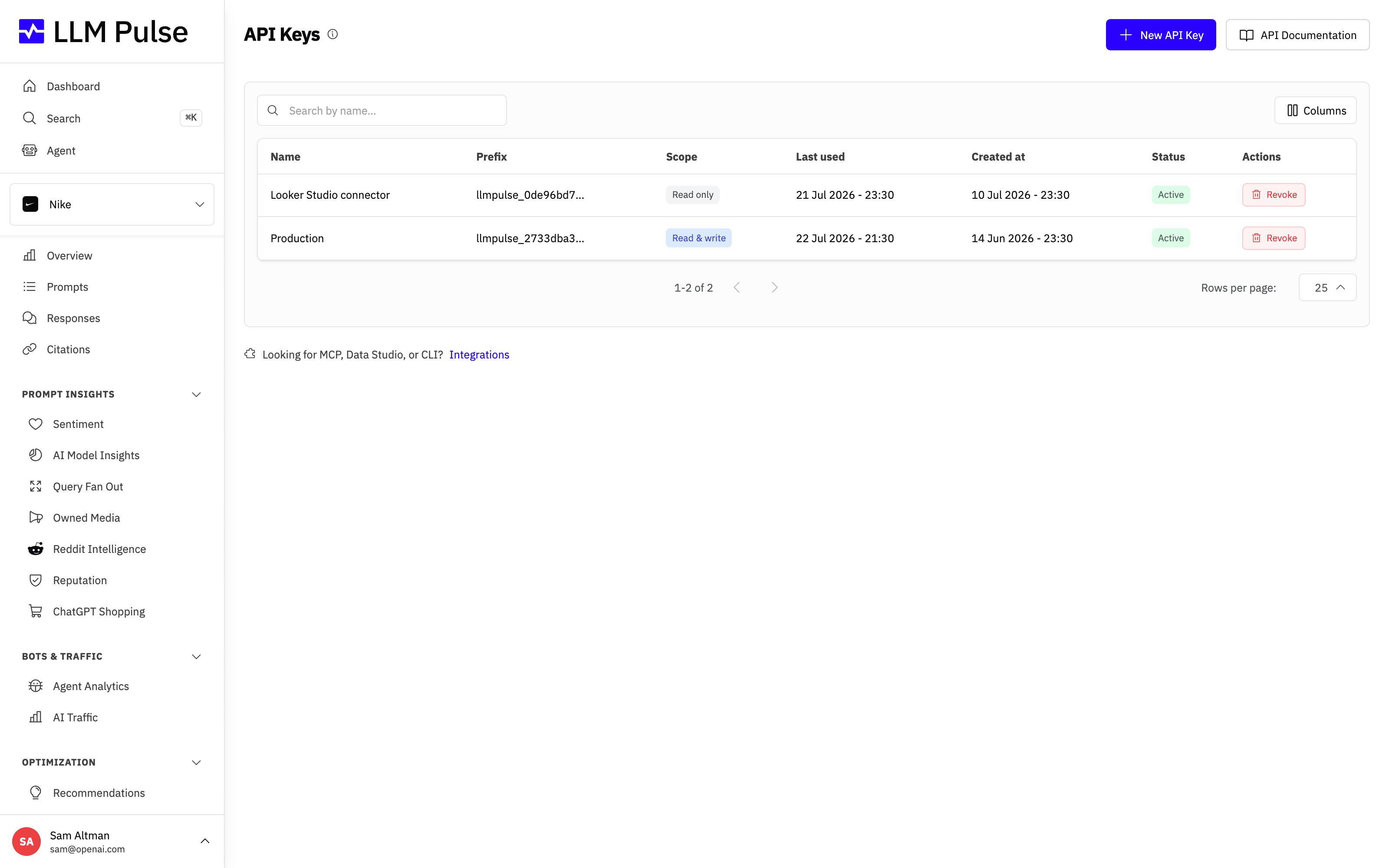
The API Keys page lists every key you have created, shows its prefix and last used date, and lets you generate new keys or revoke old ones.
What it does
- Create API keys with custom names for different use cases
- Shows key prefix and last used date for identification
- Keys start with
llmpulse_prefix - Supports revoking keys that are no longer needed
How to use it
- Click your name/avatar at the bottom-left of the sidebar
- Click API Keys
- Click Create API Key and give it a descriptive name
- Copy the full key immediately, it's only shown once
- Use the key as a Bearer token:
Authorization: Bearer llmpulse_your_key_here - Revoke keys you no longer need from the same page
Limit a key to some projects
When you create a key, the Projects field sets what it can reach. Leave it empty (All Projects) for a key that sees the whole account, including projects you add later, as every key created before this option does. Pick one or more projects to limit the key to them, for example when an agency or a client portal hands a client a key for that client's projects.
A key limited to some projects:
- Lists only those projects, and treats any other project as one that does not exist (
ERR_PROJECT_NOT_FOUND) - Reaches only those projects' prompts, answers, competitors, tags, webhooks, reports and studies
- Can't create projects or use the Team endpoints: those requests answer
ERR_KEY_PROJECT_SCOPED(403)
The projects can't be changed once the key exists. To give a client a different set, create a new key and revoke the old one. Deleting a project removes it from the keys limited to it, and a key left with no project is revoked.
After a plan change
API keys work only while your account is on the Scale plan or above. If the account moves to a lower plan, its keys stay in the list and you can still revoke them, but every request made with them is refused with ERR_PLAN_REQUIRED (403). They work again as soon as the account is back on Scale or above. MCP connections that sign in with OAuth are not affected, because they don't use an API key.
Tips & notes
- Available on Scale plans and above
- API rate limit: 300 requests per minute per key
- Keep your API keys secret, never expose them in client-side code or public repositories
- The same key works for the REST API, native Rust CLI, official SDKs, headless MCP, and Looker Studio connector
- Each key has a prefix shown in the list for identification without revealing the full key









