Account Settings
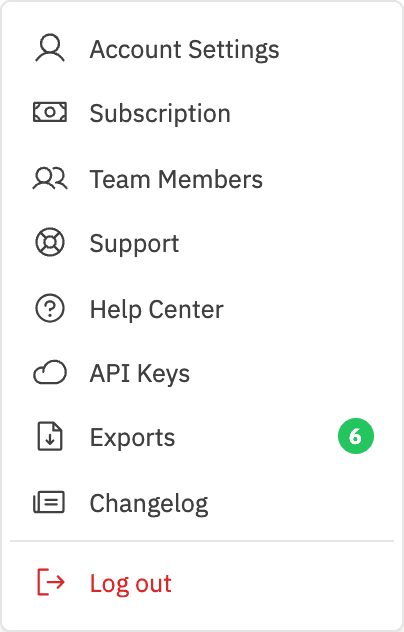
Account Settings lets you manage your personal profile, security, and display preferences. Access it from the profile menu at the bottom-left of the sidebar.
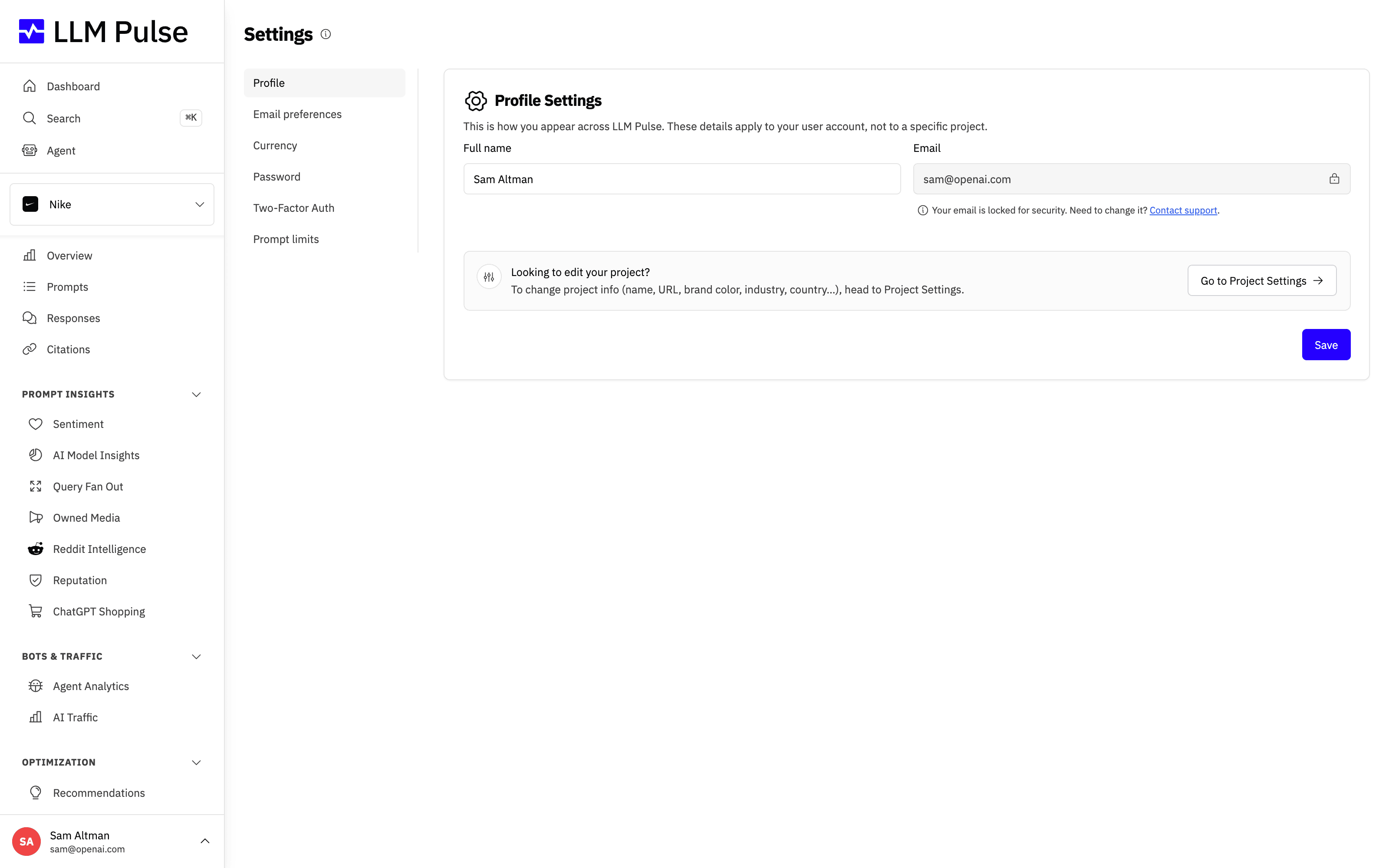
Collapsing the sidebar
On desktop, use the sidebar button to switch between the full sidebar and a compact icon rail. The sidebar is expanded by default. When the sidebar is expanded on a pointer-based desktop, its toggle appears when you hover over the header or reach the control with the keyboard. Once collapsed, the toggle stays visible so you can easily expand the sidebar again. It also stays visible on devices without hover. In compact view, every destination remains available as an icon; hover over or focus an icon to see its label.
LLM Pulse saves your choice in the local browser, so it stays the same as you move between pages and after you close and reopen the browser. The choice only applies to that browser. The mobile navigation drawer works as before and does not use the desktop collapsed state.
What it does
- Update your full name
- Change your login email (confirmed from the new address before it applies)
- Choose your product interface language
- Manage your email preferences: unsubscribe from email categories and choose which projects email you their reports
- Choose your display currency for plan prices and invoices
- Change your password
- Enable two-factor authentication
- See and revoke the AI apps you connected over MCP
How to use it
- Click your name/avatar at the bottom-left of the sidebar
- Click Account Settings
- Edit the fields you want to change
- Click Save Changes
Interface Language
The Language tab controls the navigation, product controls and messages shown to your user. It does not change project markets, prompt languages or generated content. Content that has not yet been localized falls back to English.
The public LLM Pulse website also has a compact language selector immediately before Log in. A signed-out choice stays in that browser. If you are already signed in, choosing a language there updates the same personal preference shown in Account Settings. A browser-language suggestion may appear beside the public selector, but it never changes your preference automatically.
Changing your login email
In the Profile tab, the Login email section changes the address you sign in with and where account emails arrive.
- Enter the new address and your current password. If your account is linked to Google, click Confirm with Google first instead, then enter the new address within 10 minutes. Only a Google sign-in from the last 10 minutes counts, so Google may ask for your password again. If you see "Google didn't confirm a recent sign-in", your browser is reusing an older Google sign-in: open a private window, sign in there with Google and confirm again. With two-factor authentication on, also enter a code from your authenticator app or an unused backup code.
- Click Send confirmation link. We email a single-use link to the new address, valid for 24 hours, and a notice to your current address.
- Open the link from the new address and confirm. Your email changes only then, and every other session is signed out.
If you didn't ask for the change, the notice sent to your current address has a Cancel this change button: it stops the change and signs out every session, and you should then reset your password. Asking again replaces any earlier link, and changing your password cancels it. Disposable email domains aren't accepted, just as at sign-up.
After the change, your account is no longer linked to Google: sign in with your password, or with Google using an account for the new address. If you have only ever signed in with Google, set a password in the Password tab before you change the email, or use Forgot your password? on the sign-in page afterwards. When a team member changes their email, the account owner gets an email about it. In a white-label portal, ask your account administrator to change it.
Password and two-factor authentication
In the Password tab, enter your current password and the new one. If the tab says You sign in with Google, click Confirm with Google first, then set your password within 10 minutes. As with the login email, only a Google sign-in from the last 10 minutes counts. You can also set a password with Forgot your password? on the sign-in page.
To turn two-factor authentication off or get new backup codes, open the Two-Factor Auth tab and click Manage 2FA. Both ask for your password and a code from your authenticator app or an unused backup code, so if you have only ever signed in with Google, set a password first. If you lost both your authenticator app and your backup codes, contact support.
Connected Apps
The Connected Apps tab lists the AI clients and apps you connected to your account over MCP, such as Claude or ChatGPT. Each one shows the site it sends you back to after you authorize it, whether it can only read your data or also make changes, when you connected it and the date it stays authorized until (one year after you authorized it). An app marked Unverified app chose its own name, so keep it only if you started that connection.
Click Revoke to end one connection. The app loses access right away, and any webhooks it created stop sending. To use it again, connect it from the app and authorize it again. Changing your password, turning on two-factor authentication or confirming a new login email ends every connection at once. To set one up, see Connect your AI via MCP.
Legal Documents
Open the Legal Documents tab to browse the Privacy Policy, Cookie Policy, Terms of Service, Refund Policy, Data Processing Addendum, Sub-processors, Security and Legal Notice / Imprint. Each link opens the current public document.
Email Preferences
The Email Preferences tab controls every email LLM Pulse sends you:
- Category toggles: onboarding tips, reports and digests, export notifications, product news, Feedback + Reviews, the newsletter, and marketing. Feedback + Reviews asks how happy you are with LLM Pulse on a 0-10 scale and is sent no more than once every six months. People who score 8 or higher can also choose to leave a public review. Untick a category to stop those emails for your user.
- The newsletter and marketing are two separate choices: the newsletter is our regular email about AI search, and marketing is product announcements, upgrade suggestions and occasional offers. Leaving one has no effect on the other. Both are tied to your email address, so a choice you made before you had an account still counts here.
- Per-project report emails: pick which projects send you the weekly visibility summary, the negative sentiment digest, and the reputation report. These are the same toggles you find in each project's settings, gathered in one place.
- Team members only get the reports they can view: a member is offered and sent a report only while their permissions include its feature (Overview for the weekly visibility summary, Sentiment for the negative sentiment digest, Reputation for the reputation report, GEO Optimization for GEO audit alerts). The weekly summary also leaves out sections the member cannot view.
- Account and billing emails are always on: payment issues, plan changes, receipts, usage limit alerts and security notifications cannot be turned off because they keep your account running.
Every email also includes an unsubscribe link at the bottom that stops its category in one click, plus a link back to this tab.
Tips & notes
- If you can no longer open your current mailbox, open a support ticket to change your email
- Email preferences apply to your user only; teammates manage their own
- Unsubscribing is tied to your email address, so if you unsubscribed before creating an account, the choice still applies once you sign up
- Your avatar color is assigned automatically and cannot be changed









