Work with multiple projects, brands & locales
LLM Pulse supports multiple projects within a single account. Each project represents a brand or website you want to track. The project switcher makes it easy to move between them.
The Dashboard gives you a single view across every project you can access, so you can compare AI visibility and trends without switching context.
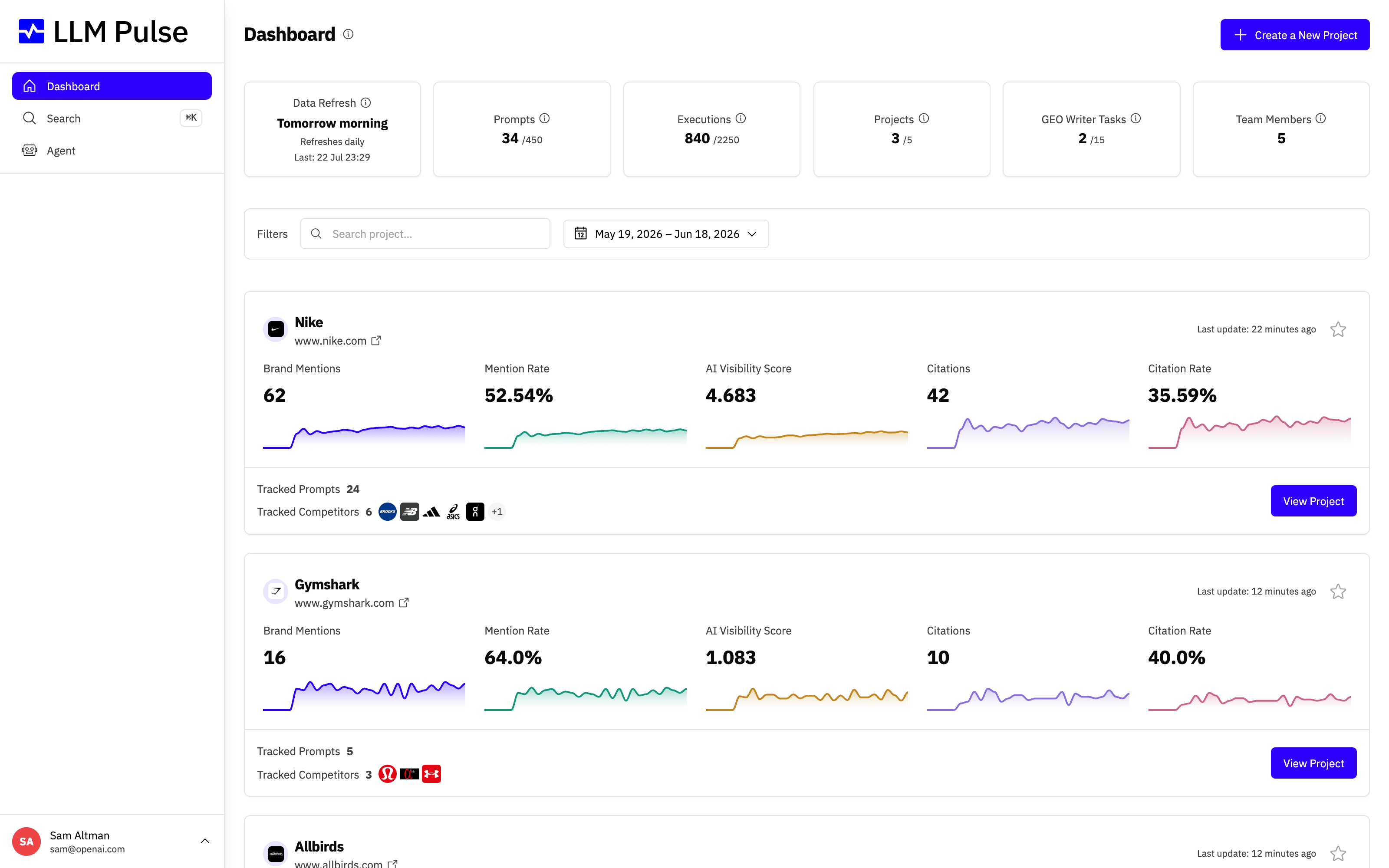
What it does
- Project switcher in the sidebar lets you change the active project instantly
- Favorites pin important projects to the top of the list
- Search helps you find projects quickly when you have many
- On project-specific pages, analytics, filters, and settings apply to the active project
How to use it
- Click the project name at the top of the sidebar to open the switcher
- Click any project to switch to it, all pages update to show that project's data
- Click the star icon on a project to favorite it (pinned to top)
- Use the search box when you have more than 6 projects
- Date ranges persist between pages. Model and tag filters carry over only to destination pages that support them when you navigate within the same project
Links to a specific prompt, response or report
The page of one prompt, one AI response or one GEO Optimization report has its own address, so you can bookmark it or send it to a teammate.
- A link with
?project_id=followed by the project ID opens that project, even if you had another one selected. Links returned by the REST API and by the MCP connection always include it. - The link only switches to a project you can already open. Team members reach only the projects they were given; anyone without access stays on their current project and sees a "not found" message.
- Without the project ID, a link to another project's page shows the same "not found" message. Switch project first, then open the link again.
- Inside an embedded dashboard, links never switch the project.
Share the view you are looking at
The address bar always describes the whole view: the project, the date range, the filters, the search, the sort and the page. Copy the URL and send it to a teammate, and they open exactly what you see.
- The link carries your date range, even if you never changed it. Your teammate sees that range, and it becomes their default, just as if they had picked it.
- On Overview and AI Model Insights, the link carries the Brand Type filter and the competitors you selected. If you have permission to change these settings, opening the link can save those selections as project defaults.
- A pasted list in the Citations bulk filter travels with the link too, unless the list is too long to fit in a web address.
- The numbers match as long as your account tracks the same AI models. If models are added or removed after you copy the link, the totals follow the current models.
- The link only opens a project your teammate can already access.
Tips & notes
- The number of projects depends on your plan (Starter: 1, Growth: 2, Scale: 5, and more on higher plans); extra project slots can be purchased from profile menu > Plans & Billing > Usage
- Each project has its own prompts, competitors, tags, and settings
-
One project tracks one brand and one main website. If your company runs other sites (a product microsite, a regional domain or an acquired company), the account owner can add up to 10 of them under Additional owned domains in the brand editor (Preferences > Competitors, pencil on the Your brand row), and citations to them count as the brand's too. A domain tracked as a competitor cannot also be owned: use Move to your domains in that competitor's row menu to switch it. To measure another site's brand on its own, with its own mentions, charts and filters, create a separate project for it. Your social channels and app profiles are covered separately by Owned Media. Regional paths under the same domain need no extra project. Use the brand's path-prefix URL rule only when one directory, such as
/es-es, should count as owned - Team members can be given access to specific projects or all projects
- The Dashboard shows a summary card for every project you can access
- Only an LLM Pulse platform administrator can transfer project ownership to another user. Google Analytics and Google Search Console connections do not move with the project: the new owner reconnects them with their own Google account, and the data already imported stays









