Manage competitors and matching names
The Competitors page lets you manage the brands you track alongside yours. Add competitors manually, use AI suggestions, or fine-tune matching names for accurate detection.
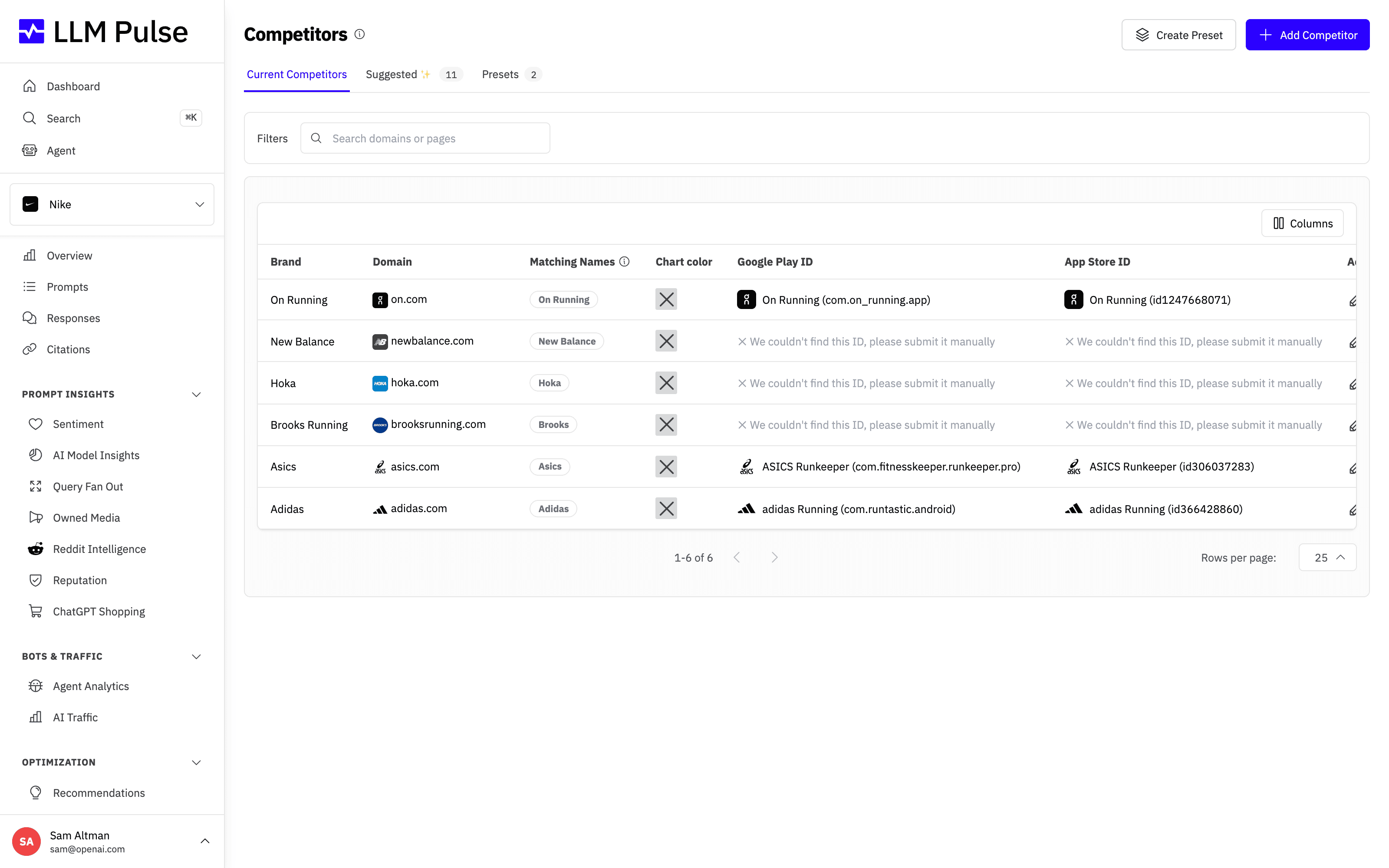
Each row shows a tracked competitor's brand name, its domain, the matching names used to detect it, and the chart color that keeps it consistent across every chart in the platform.
What it does
- Lists all your tracked competitors with their brand name, domain, and matching names
- Provides a Suggested tab with separate Brand discovery and Based on citations views
- Provides a Presets tab to save named groups of competitors and apply them in one click
- Lets you edit matching names (the variations of a brand name AI might use)
- Supports custom chart colors for the main brand and each competitor. Set the main brand's primary color under Project Settings > General Information > Project Identity or Project Settings > Brand Book. Account owners, admins, and members with permission to update Competitors can also change it inline from the highlighted Your brand row. Members who can access Competitors but lack update permission can view chart colors only. Embed sessions are read-only.
- Sortable table with search functionality
How to use it
- Navigate to Competitors in the sidebar (under Preferences)
- Click Add Competitor to manually add a brand (enter name + domain)
- Switch to the Suggested tab. Open Brand discovery for direct competitors researched from your website and market, or Based on citations for the raw cited-domain list
- Click a competitor to edit its matching names, domain, or chart color. To change the main brand color, use Project Settings > General Information > Project Identity or Project Settings > Brand Book. If you have permission to update Competitors, you can also change it inline from the highlighted Your brand row.
- Use Remove competitor in a competitor's row menu to stop tracking it. Its mentions, citations, share of voice and sentiment history are deleted. Ads, shopping products, local businesses and brand entities linked to it are kept and move to your brand or another competitor they match, or stay unattributed.
- If a competitor's website belongs to your company, for example a company you acquired, the account owner can select Move to your domains in its row menu instead. Its whole domain becomes one of your additional owned domains, so its citations count as yours, and the competitor is removed in the same step. It is not offered for a competitor that tracks a single path, or for one on your main website's domain or on a platform many companies share.
Competitor presets
If you track rivals from different product lines or markets, comparing against the full list can dilute your Share of Voice with brands that don't actually compete with you. Presets solve this: save a named group of competitors once and apply it in one click.
- Go to Preferences > Competitors > Presets and click Add Preset
- Name the preset (for example a product line or market) and tick the competitors that belong to it
- On any page with a competitors filter (Overview, AI Model Insights, Reputation, Owned Media), open the filter and pick the preset from the left column
The competitors filter also supports batch selection: tick or untick several competitors and press Apply to reload the page once with the new selection. The Apply button only appears after you change the selection. For a per-product-line view, combine a preset with a tag filter so both the prompts and the competitors match that product line.
Deleting a preset never deletes the competitors in it, and a preset ignores competitors that have since been removed.
How Brand discovery qualifies suggestions
Brand discovery reuses the website, business and market research from project onboarding. It checks candidates at the project's core business-model level. Product makers that merely sell through a marketplace are not competitors of that marketplace, and owned brands and subsidiaries are excluded. When all qualified competitors are already tracked, no new suggestions is the correct result.
Tips & notes
- The standard plan limits are 10 tracked competitors on Starter, 15 on Growth, 20 on Scale and Scale+, 25 on Scale++, 30 on Partner, Partner+, Partner++, and Enterprise
- Matching names use word-boundary matching: "Apple" matches "Apple Watch" but not "Pineapple"
- Adding new competitors triggers reprocessing of historical data, this can take some time
- Project onboarding saves the competitor suggestions you do not select in Brand discovery. Later discovery never starts from a page visit: a user with permission must press Discover competitors. The saved result can be refreshed at most once every 24 hours per project. Rejecting a brand suggestion keeps it hidden after later runs.
- Based on citations keeps citation domains in a separate list. It does not claim that each domain is a competitor, so review publishers, retailers, marketplaces, search portals, and other sources before adding one.









