GEO Optimization Suite
The GEO Optimization Suite is a collection of 10 tools designed to help you optimize your website for AI search engines. Each tool analyzes a different aspect of your site's AI readiness.
With the GEO Optimization Suite, you can:
- Score how ready your whole domain is for AI agents, across discovery files, content formats, access rules and agent interfaces
- Generate and validate your llms.txt and robots.txt so AI crawlers can find and use your content
- Check whether AI bots can actually crawl and render your key pages
- Audit your schema markup and content structure for AI readiness
- Fix the technical gaps that stop AI models from citing your site
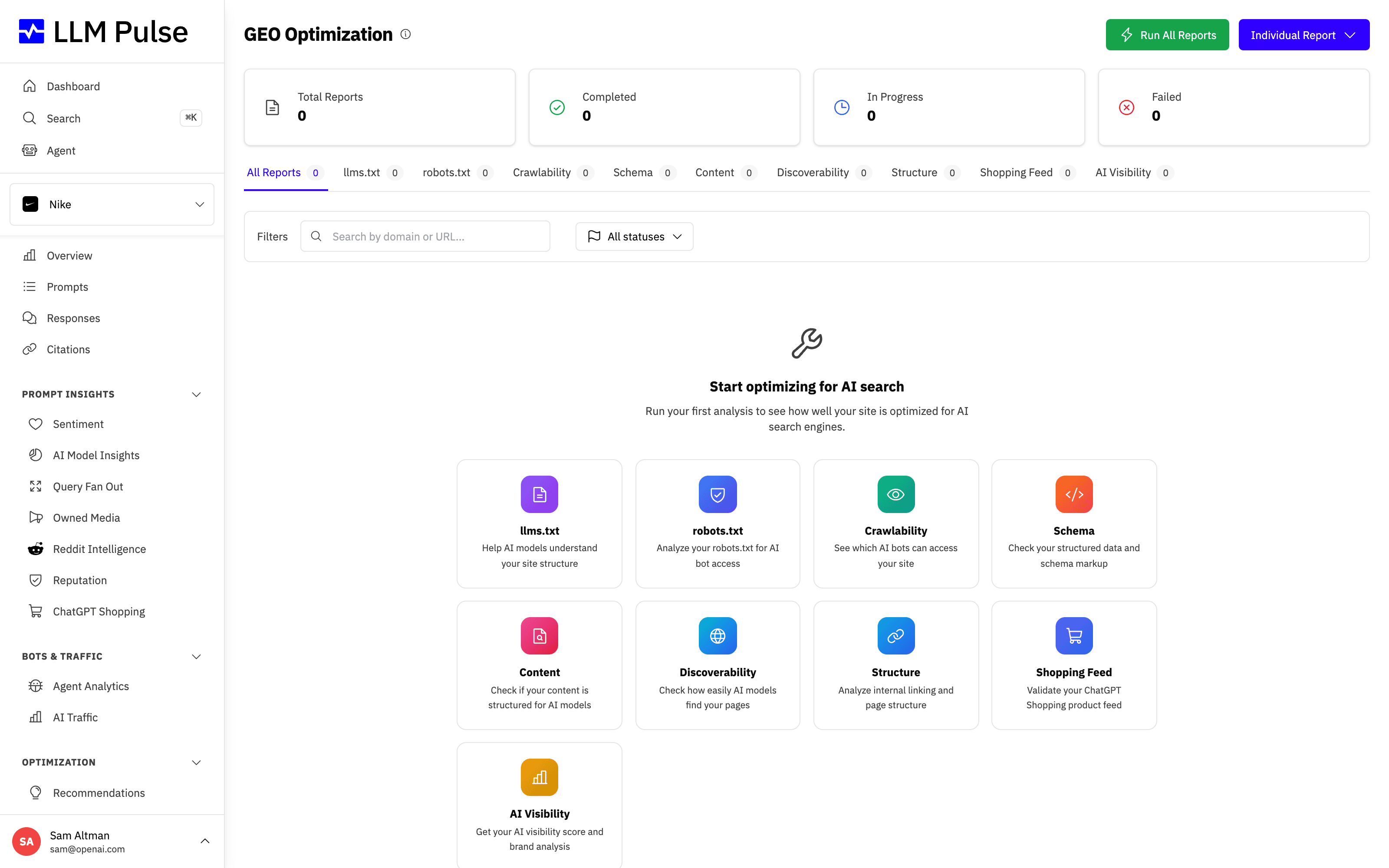
GEO Optimization opens on one list with every audit and report of your project. The tabs at the top filter it by analysis type, and the New button creates any of them. Each tool section below covers one analysis type.
GEO audits
An audit is one check type on one domain or URL. Each time it runs, the result is saved as a run, so you can see what changed since the last one.
Create an audit
- Go to Optimization > GEO Optimization, click New and pick an audit type.
- Under What to audit, enter a Domain or URL: a domain for site-wide audits (for example example.com), or a page URL for page audits.
- Under Audit types, pick one or more types. Each type becomes its own audit, with its own runs and history.
- Under Schedule, choose the Cadence: Once, Weekly or Monthly. Recurring audits get a day and a daytime hour that you can change later (times are in Madrid time).
- Click Create audit. The first run starts right away.
The audit types are Agent Readiness, robots.txt, Crawlability, Schema, Content Readiness, Discoverability and Site Structure. llms.txt, Shopping Feed and Quick AI Visibility are single reports, created from the same New menu.
Only Agent Readiness and robots.txt can run weekly or monthly, because their checks are compared run to run. The other types are marked Runs once: they run when you create them or click Run now, and they report a score.
Read an audit
The GEO Optimization list shows each audit and report with its latest score and trend, a short summary of the result, open critical issues, its status and when it last ran. Recurring audits also show their cadence and next run. Filter the list by type, status and schedule (recurring or once), or search by domain or URL. Archived audits are hidden until you filter by the Archived status. Open an audit to see its full latest report, plus:
- What changed in the latest run: the score change and how many issues are new, fixed or regressed.
- Issues, in three tabs: Open, Accepted and Fixed. Each issue shows its severity and why the check matters.
- What changed between run X and run Y: every check that moved between the last two runs, with its before and after status.
- Score over time and the list of Runs. Each run opens the full report.
If the checks or the audit settings changed between two runs, the page says so, because the difference may come from that change rather than from your site.
Issue badges tell you how each problem moved:
- New: the check fails for the first time.
- Persisting: it was already failing in the previous run.
- Regressed: it was fixed and fails again.
- Fixed: it failed in the previous run and passes now.
- Gone: the item the check looked at no longer exists. This is not the same as a fix.
Click Accept on an issue you have decided to live with. It stays visible under Accepted but no longer counts as open. If its evidence changes, it counts as open again on its own. Count as open again undoes an accept.
Some checks depend on how your site answers a specific crawler. When a run could only reach your site through our backup fetch, those checks show Unknown instead of a pass or fail, because the backup fetch cannot show what that crawler would receive.
Run, pause, edit and archive
- Run now starts a run at any time. Manual runs (from the app, the API or an AI assistant) are limited to 6 per audit per hour and 200 per account per day. Scheduled runs never count toward these limits.
- Pause stops the schedule and Resume restarts it.
- Edit changes the schedule and the email alerts.
- Archive stops the audit and removes it from the list. If you create the same audit again, it comes back with its history.
If three scheduled runs in a row cannot reach your site, the audit pauses itself. Check the address, then click Resume.
Reports you ran before audits existed appear as runs of matching audits that ran once, so your history starts on day one.
Alerts
Only scheduled runs send alerts, and only when something changes: a critical check starts failing, a check fails again after a fix, a critical check recovers, the score drops by 15 points or more, or the site stops answering. A short outage does not alert, because the run is checked again a few minutes later first.
Each alert:
- Appears under Alerts on the GEO Optimization page (and in Recent alerts).
- Adds an annotation to your charts, so you can line the change up with your visibility.
- Is emailed to the people on the project who can see GEO Optimization. Turn the email off for one audit with Email alerts for critical changes under Edit, or for yourself with the unsubscribe link in the email.
How many recurring audits you can have
Active recurring audits are capped per account. The Recurring audits card on the GEO Optimization page shows how many you use.
| Plan | Active recurring audits |
|---|---|
| Starter | 25 |
| Growth | 60 |
| Scale | 150 |
| Scale+ | 300 |
| Scale++ | 500 |
Enterprise and partner plans have higher limits. Audits that run once, paused audits and archived audits do not count, so pausing a recurring audit frees its slot.
API, MCP and webhooks
Audits are also available through the REST API (/api/v1/geo_audits and /api/v1/geo_alerts) and through MCP tools, so an AI assistant can create audits, run them, compare runs, list issues and alerts, and accept issues. Two webhook events, geo_audit_run.completed and geo_audit_alert.triggered, let you send results and alerts to your own tools. The API, API-key MCP access and webhooks are available on Scale plans and above.
The analysis types
Each section below covers one analysis type. You create any of them from the New button, and every result appears in the GEO Optimization list.
Agent Readiness Report
Scores your domain across the four dimensions that decide whether an AI agent can find, read, and act on your site. It runs about twenty read-only requests against your site root, so it finishes in under a minute and never crawls your pages.
- Discovery: robots.txt, XML sitemap, llms.txt and llms-full.txt, HTTP Link headers.
-
Machine-readable content: markdown content negotiation (an
Accept: text/markdownrequest), a markdown URL variant, JSON-LD, and feed autodiscovery. - Access and permissions: per-crawler robots.txt rules, the Content Signals directive, and a live fetch sent with a real crawler user agent. We also look for a Web Bot Auth directory, but only report it, never score it: that file is published by crawler operators to advertise their signing keys, so a normal website has no reason to serve one.
- Agent interfaces: MCP server card, agent skills index, API catalog, OpenAPI document, OAuth discovery, A2A agent card, and the Agentic Resource Discovery catalog.
A fifth group, agent commerce (x402, Agentic Commerce Protocol, Universal Commerce Protocol, AP2), is probed and listed but deliberately left out of the score, because those standards are still moving.
If the Live crawler fetch fails, the report does not show a high numeric score as a healthy result. The score ring turns red, an Access unresolved badge appears below it, and a warning next to the score includes the HTTP status. The number stays visible because it summarizes all the checks, while crawler access remains unresolved.
Keep these points in mind when you read the report:
- The live crawler check tests the user agent, not the IP. We send a real crawler user agent from our own network. A block means the user agent string was refused. A site that verifies crawlers by IP range or request signature may still block us while allowing the real crawler, so treat a failure as a prompt to look at your edge rules rather than proof of a misconfiguration.
- A low interfaces score is normal today. MCP server cards and API catalogs are new, and most sites publish none of them. The dimension is weighted so the basics still carry your score.
- The MCP server card is not a well-known file. We look for it through your Agentic Resource Discovery catalog at /.well-known/ai-catalog.json, which is where the specification says a card should be advertised. Several guides tell you to publish it at /.well-known/mcp/server-card.json instead; the specification rules that location out. If we find a card there we flag it so you can move it, rather than passing you for it.
Inside the dashboard the report adds a Declared vs observed panel that a public report cannot show: it puts what your robots.txt declares next to what your edge actually did to real agents over the last 30 days, using your Agent Analytics data. It flags two mismatches: a crawler you block that keeps crawling anyway, and a crawler you allow whose requests mostly come back as errors.
The same check is available to anyone without an account as the free Agent Readiness Checker.
Quick AI Visibility Report
Generates an on-demand visibility report for any domain, showing how it appears across AI models. It is a one-off snapshot, not the weekly tracking your project prompts give you, which is why it is called "quick".
The same report is available to anyone without an account as the Free AI Visibility Report. Inside the dashboard it is called the Quick AI Visibility Report, runs against the project you have open, and can be exported to PDF.
llms.txt Generator
Creates an llms.txt file for your website, a markdown document that helps AI models understand your site's official content efficiently.
Choose the language of the files in the Output language field when you create the report (in the Run All Reports form it is called llms.txt language). Inside the app it is preselected with your project's language, and the public generator uses the website's own language, detected automatically. The completed report shows the language the files were written in.
You can review and edit the generated files before publishing them. On a completed report, Edit content opens one text box per file (llms.txt and llms-full.txt). After Save changes, the report page, both downloads and the PDF export use your version, and the report shows when it was edited. Revert to generated restores the generated files, and Run again creates a fresh report without your edits. Editing requires the same permission as running GEO Optimization reports.
Where llms.txt content comes from
The llms.txt Generator builds both files only from pages on your own domain and its subdomains (for example www., docs. or blog.). A search limited to your site finds those pages, and an AI model writes the files from what they say. Pages on other websites are left out, including partner or affiliated organizations with their own domain, and the files never link to them. To cover another domain, run a separate report for it.
Because an AI writes the files, the report, its PDF and the editor show a notice asking you to check every fact and link before you publish. Reports created before this change show a different notice: their files came from a web search that could include other websites. Run such a report again to rebuild its files from your own site.
If the search finds no page on your site, the report fails and asks you to check that the site is online and open to search engines. If your site redirects to another domain, run the report for that domain.
robots.txt Checker
Analyzes your robots.txt file to check whether AI crawlers (GPTBot, ClaudeBot, GoogleOther, etc.) are allowed or blocked.
The report also lists every Content-Signal line it finds, with its scope: the whole site, or only the path the line starts with (for example Content-Signal: /blog/ ai-train=no, the form contentsignals.org shows for specific pages). The allowed or blocked verdict still follows the robots.txt standard, which ignores lines it does not define, so a Content-Signal line is never reported as a syntax error and never changes whether a crawler is allowed or blocked.
GEO Crawlability Checker
Compares static HTML vs JavaScript-rendered content to identify what AI crawlers can actually see on your pages.
Cookie consent banners are excluded from this comparison automatically. Consent platforms like Cookiebot or OneTrust inject their banner and cookie declaration with JavaScript, which can add thousands of words of boilerplate to the rendered page and would otherwise make the content parity score look much worse than it really is. When a consent banner is detected, the report shows a note with the number of words excluded.
The browser check still runs when the static crawler request is blocked. If browser automation also fails, a backup fetch may complete the report. The report shows a notice in either case so you can see which result was used and when the comparison may be less precise.
What the report sections are called
The report is organized around a static fetch versus a full browser render, but the sections on screen are named after what they compare, not after the two fetches:
- How AI Engines See This Page: a verdict per engine (sees full content, partial content, little or nothing, or indexed with snippets blocked). Only Google's renderer executes JavaScript.
- Content Comparison: Static Words (what AI bots see), Rendered Words (what browsers see), and Content Parity, the share of your content visible to AI bots.
- Meta Tags Comparison and Structured Data (JSON-LD): two columns, Static (crawler) and Rendered (Browser), so you can see which tags and schemas only exist after JavaScript runs.
- Indexing & AI Directives, Initial HTML Response Size, Links, Images, Technical Details and Recommendations.
How to tell whether a firewall is blocking the crawl
If your site sits behind Cloudflare or another bot protection and you want to confirm whether it is blocking us, look for the amber "Static crawler request blocked" notice. It appears when the static request returns a blocked HTTP status. The existing "Anti-bot protection detected" banner appears when a fetch returns a challenge page instead of your real content. A blue "Report completed with a backup fetch" notice means the report completed, but the rendered comparison may be less precise.
The GEO Crawlability Score is not a "percentage blocked" number. A score of 80% does not mean 20% of your site is blocked. The score also drops for content that only appears after JavaScript, missing or mismatched meta tags, links, and schema. Read the findings under the score to see which check is failing.
To validate a firewall change your IT team made:
- Open Preferences > Project Settings > General Information and turn on Crawler Identification. Standard accounts show
LLMPulseBot/1.0; Full Whitelabel portals show the product-neutralAnalyticsCrawler/1.0. - Ask your IT team to allowlist that exact User-Agent (allowlisting only GPTBot is not enough, because the rendering step uses a headless browser).
- Run the Crawlability report again on the same URL and compare it with the previous one: the anti-bot banner should be gone and Static Words should match your real content.
If Cloudflare blocks the crawl
For an in-project report, enable Preferences > Project Settings > General Information > Crawler Identification. It is off by default and applies to in-project reports only. The standard User-Agent is Mozilla/5.0 (compatible; LLMPulseBot/1.0; +https://llmpulse.ai/bot). Full Whitelabel uses Mozilla/5.0 (compatible; AnalyticsCrawler/1.0).
If you manage Cloudflare, check Security > Analytics > Events for the blocking product or rule and the exact host, path, method, and User-Agent. For a confirmed public page path being analyzed, scope any exception to that host and path, GET/HEAD, and the exact User-Agent. Keep WAF Managed Rules and rate limiting active. Use Skip only for Super Bot Fight Mode when Events confirms it is blocking the request. If a customer-created bot rule is responsible, narrowly exclude the scoped match from that rule. Bot Fight Mode cannot be skipped by User-Agent. IP Access Rules require a confirmed source IP; we have no documented fixed egress IP ranges to share. A User-Agent can be copied and does not verify the crawler's identity.
Schema & Structured Data Analyzer
Checks your structured data markup for AI optimization, validates schema.org types, product data, and FAQ markup.
Schema type inheritance
Schema types inherit validation rules from their Schema.org parent types. For example, WebApplication is scored with the SoftwareApplication requirements, while still appearing under its declared type in the report.
Evidence-based recommendations
Recommendations are based on detected errors, declared properties, entity relationships and visible page signals. The analyzer does not suggest extra types simply to increase the count. When visible text only suggests a possible page type, the report asks you to review it and explains that no change is needed if it does not describe the page. One relevant supported type earns full GEO-critical coverage; adding unrelated types does not improve that category.
Optional Speakable and sameAs signals are shown only when detected and do not affect the overall score.
Content Readiness Checker
Analyzes whether your content is structured and formatted in a way that AI models can easily cite.
Discoverability & Authority Report
Evaluates your domain's authority signals and discoverability across AI search platforms.
Site Structure Report
Analyzes your internal linking structure and site architecture for AI crawlability.
ChatGPT Shopping Feed Checker
Validates your product feed for ChatGPT Shopping compatibility.
How to use it
- Navigate to GEO Optimization in the sidebar (under Optimization)
- Click New and pick an analysis type
- Enter a URL or domain to analyze
- Review the generated report with scores and recommendations
- Download a completed report as a PDF, or use Run again to check the same address after you make changes
Tips & notes
- GEO Optimization is available on every plan. Each successfully created Technical GEO report uses one unit; a report that is not created uses none. Run All Reports tries to create nine reports and only starts when at least nine units remain. The standard daily limit is 20 units per account, shared by the whole team across all signed-in ways to create reports; some accounts have a higher assigned limit.
- Reports include actionable recommendations specific to each tool
- Every per-URL report shows the HTTP status the page answered. A page that answers anything other than a 2xx status (a 404, for example) makes the report invalid, and a warning says so at the top: the scores describe whatever the server returned at that address, usually an error page. The usual cause is a missing trailing slash, so check the address and run it again
- A very large page is downloaded only up to a size limit (2 MB on the fast fetch, 5 MB on the fallbacks). When that happens the report says Partial page analysed at the top, because everything computed from the whole document (page weight, heading outline, schema blocks) then covers only the part we read
- Reports are private to your project, so you open them from the GEO Optimization page. When you run every analysis for a URL at once, we email you when the full set is ready
- Some tools (like Crawlability) use headless browser rendering and may take 30-60 seconds
- If a site behind strict bot protection returns inaccurate reports, open Preferences > Project Settings > General Information and turn on Crawler Identification. Our GEO and crawlability crawlers will then fetch that project's site with a fixed, self-identifying User-Agent that your team can allowlist in your firewall or bot protection (for example Cloudflare), so reports reflect your real content instead of a challenge page. The toggle is off by default









