REST API Overview
The LLM Pulse REST API provides programmatic access to your AI visibility data. Use it to build custom dashboards, automate reports, or integrate AI visibility data into your existing workflows. Available on Scale plans and above.
With the LLM Pulse REST API, you can:
- Pull mentions, citations, visibility, sentiment, and competitor data programmatically
- Feed AI visibility metrics into your own dashboards and BI tools
- Automate weekly reporting instead of exporting by hand
- Build custom alerts and workflows on top of your data
What it does
- Metrics endpoints: timeseries data, summary stats, and Share of Voice calculations
- Dimensions endpoints: list projects, competitors, prompts, mentions, and citations
- Prompts endpoint: bulk create up to 100 prompts programmatically
- Intelligence Tasks: create, list, and retrieve AI content tasks via API
- Answers endpoint: access full AI model responses
Choose how you want to work
- Use the native Rust CLI for terminal queries, shell scripts, scheduled CSV exports, and CI jobs on macOS, Linux, or Windows
- Add one of the official SDKs for TypeScript, Python, Go, Java, Kotlin, C#, PHP, Ruby, Rust, Swift, Dart, or R
- Call the REST endpoints directly with any HTTP client when you want full control over requests
How to use it
Everything starts on the API Keys page, where you generate the bearer token the API uses to authenticate every request.
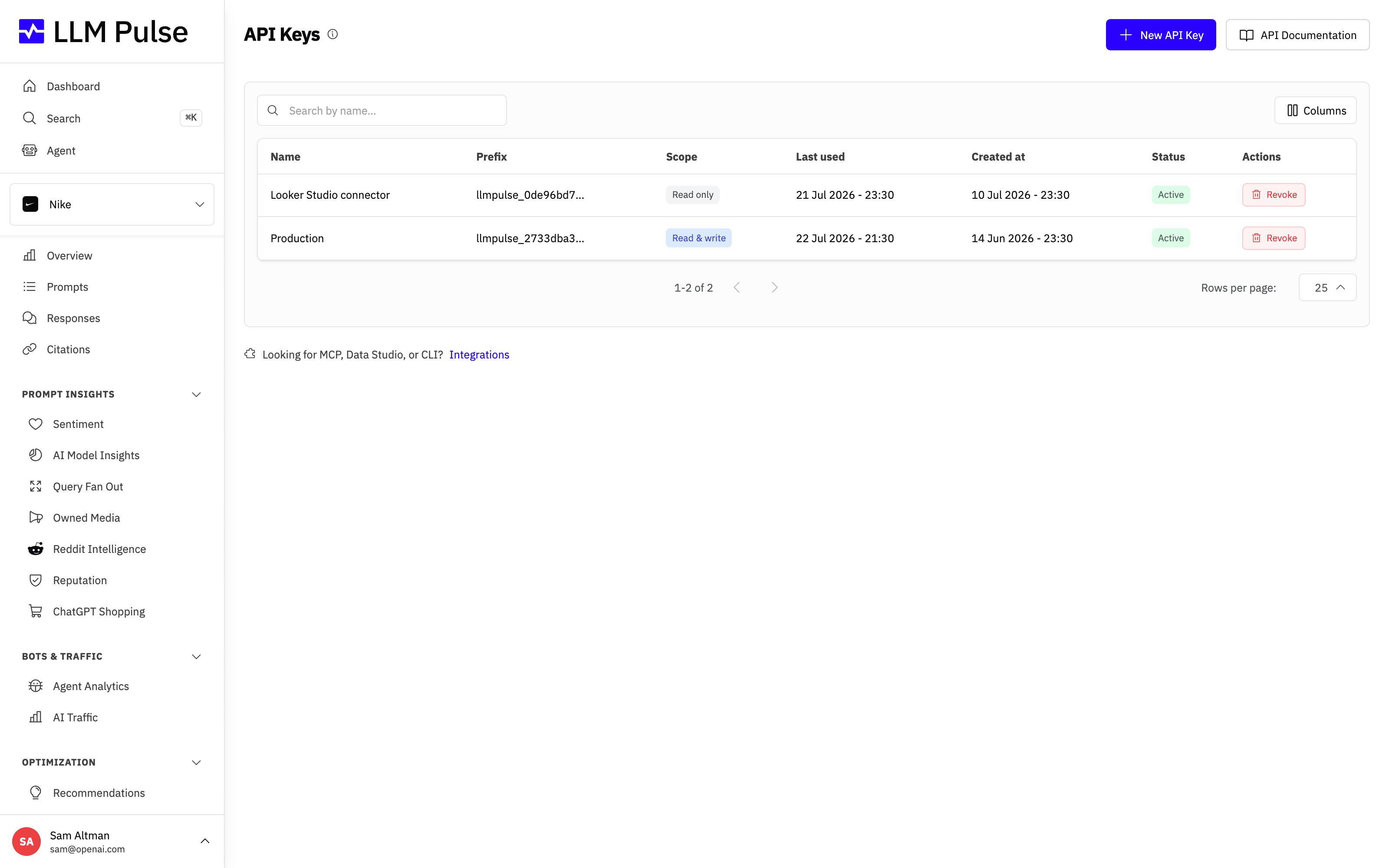
- Open the profile menu from your name or avatar at the bottom-left of the sidebar, then choose API Keys
- Add the key as a Bearer token:
Authorization: Bearer llmpulse_your_key_here - Base URL:
https://api.llmpulse.ai/api/v1 - Start with
GET /api/v1/dimensions/projectsto list your projects - Use
GET /api/v1/metrics/timeseries?project_id=ID&metrics=mentions,visibility&range=30for metric data
Tips & notes
- Available on Scale plans and above
- Rate limit: 300 requests per minute
- All endpoints support JSON format
- ETags and Last-Modified headers are supported for caching
- Standard error codes:
ERR_MISSING_AUTH,ERR_INVALID_API_KEY,ERR_PROJECT_NOT_FOUND - Full API documentation available at /api-docs
- Follow new endpoints, behavior changes, deprecations, and fixes through the API changelog RSS feed
- Prefer a terminal? Install the native Rust CLI for macOS, Linux, or Windows with
npm install -g @llmpulse/cli - Prefer a typed client? See the official SDKs for TypeScript, Python, Go, Java, Kotlin, C#, PHP, Ruby, Rust, Swift, Dart, and R









