Gestionar métodos de pago y facturas
Abre el menú del perfil desde tu nombre o avatar, en la parte inferior izquierda de la barra lateral, elige Planes y facturación y desplázate hasta Facturación y pagos.
Actualizar un método de pago
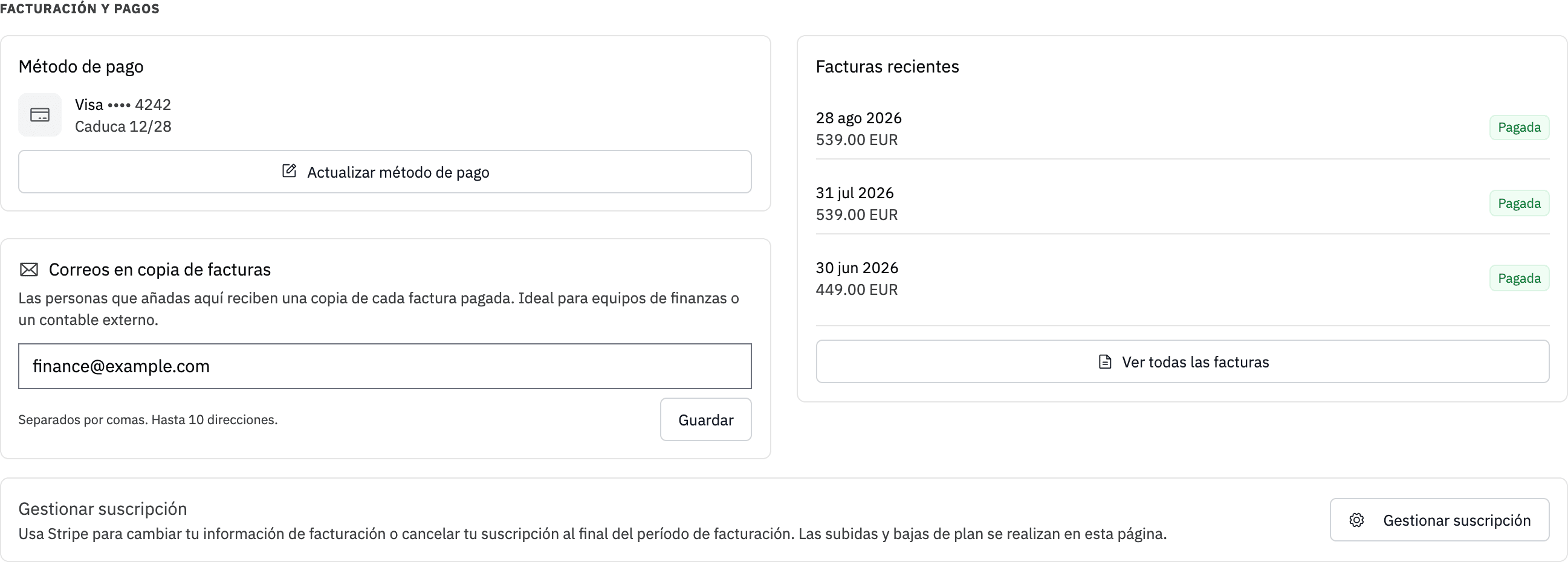
La tarjeta Método de pago muestra la tarjeta o el método de pago guardado. También te avisa si una tarjeta ha caducado o caducará pronto.
Haz clic en Actualizar método de pago para abrir el portal de facturación seguro. Si no hay ningún método de pago guardado, usa Añadir método de pago.
Cuando falla un pago, la página muestra un aviso rojo con la fecha en la que volveremos a intentar el cobro. Actualiza el método de pago desde ese aviso. Si ya no queda ningún intento programado, el aviso indica que la cuenta se suspenderá pronto. Si el pago sigue sin completarse, abre un ticket de soporte.
Descargar facturas
La página muestra tus tres facturas más recientes. Haz clic en el icono de descarga junto a una factura para obtener su PDF. Usa Ver todas las facturas para abrir el historial completo en el portal de facturación.
Enviar copias de facturas a finanzas
La tarjeta Correos en copia de las facturas puede enviar una copia de cada futura factura pagada a un equipo de finanzas o a un contable externo. Introduce hasta 10 direcciones separadas por comas, espacios o puntos y coma, y haz clic en Guardar.
Elimina una dirección del campo y vuelve a guardar para dejar de enviarle copias. Estos destinatarios solo reciben copias de las facturas. No reciben acceso a la cuenta.
Cambiar la empresa, la dirección o los datos fiscales
Abre Gestionar suscripción y edita los datos de facturación en el portal de facturación. Los cambios en el nombre de la empresa, la dirección de facturación o el NIF/identificador fiscal se aplican a las facturas futuras.
Una factura que ya se ha emitido no se puede editar ni volver a emitir con datos diferentes. Si necesitas ayuda con una factura anterior, contacta con soporte e indica la razón social, la dirección de facturación, el NIF/identificador fiscal y el número de factura afectado. No canceles la suscripción ni vuelvas a suscribirte antes de que el equipo revise el caso.
Para qué sirve el portal de facturación
Usa el portal de facturación para los métodos de pago, los datos de facturación, el historial completo de facturas y la cancelación de la suscripción. Usa Planes y facturación de LLM Pulse para los cambios de plan, cadencia de seguimiento, intervalo de facturación y complementos.
Los propietarios de la cuenta y los miembros con acceso a Facturación y planes pueden abrir estos controles. Consulta Facturación y planes para ver la guía completa de suscripción.