Cómo crear un proyecto
Un proyecto te permite monitorizar una marca en motores de búsqueda con IA como ChatGPT, Perplexity y Gemini. Así es como se crea uno en LLM Pulse, paso a paso.
Por dónde empezar
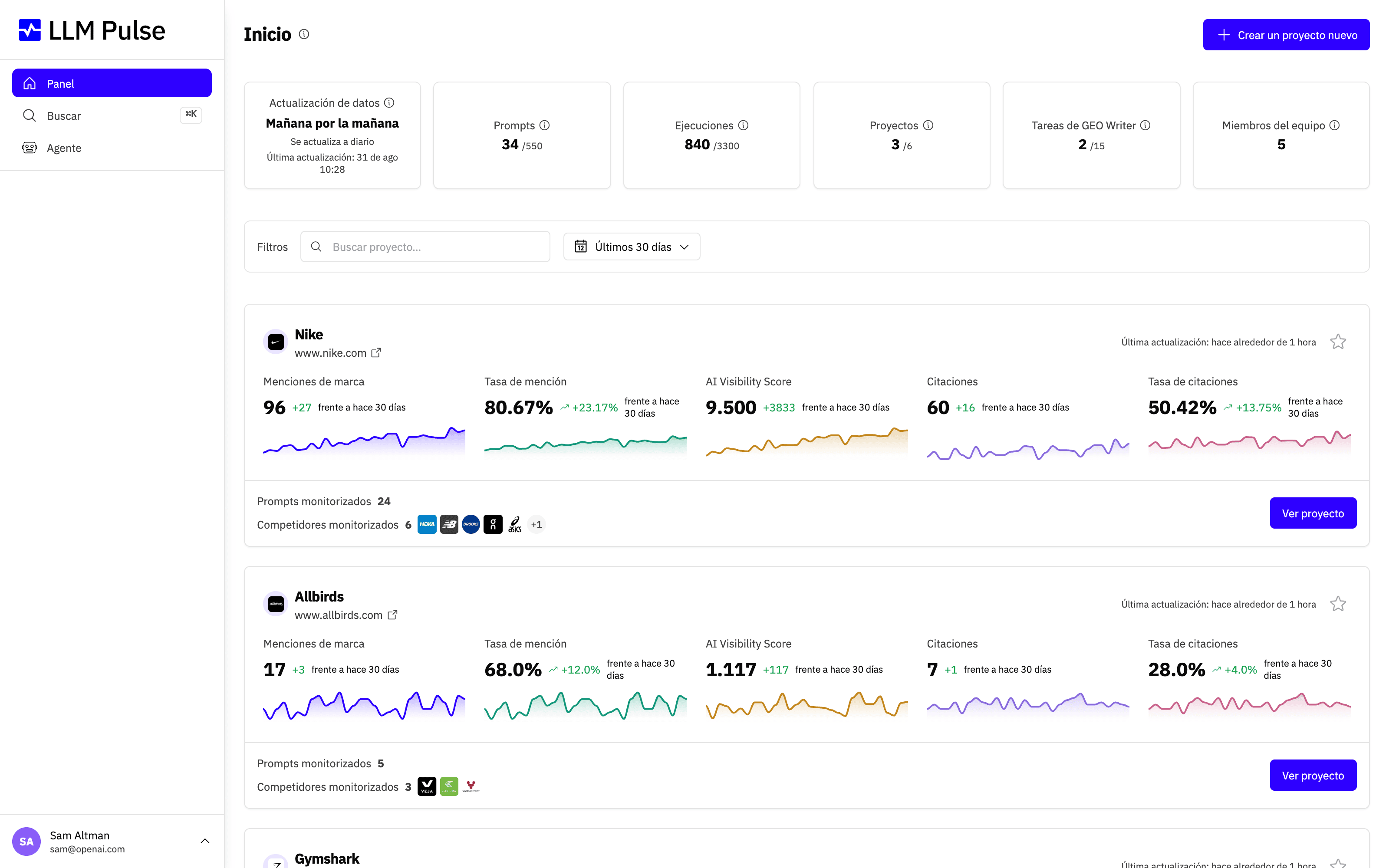
Desde el panel de control, haz clic en el botón Create a New Project (Crear un nuevo proyecto). Si te estás registrando por primera vez, esta pantalla se abre automáticamente, así que puedes ponerte manos a la obra de inmediato.
Paso 1: Introduce tu sitio web
En el primer paso del asistente, escribe el dominio de tu sitio web y elige el país y el idioma principal que quieres monitorizar. Estos ajustes le dicen a LLM Pulse dónde y cómo busca tu audiencia, para que los datos reflejen el mercado correcto. Cuando todo tenga buena pinta, haz clic en Next (Siguiente).
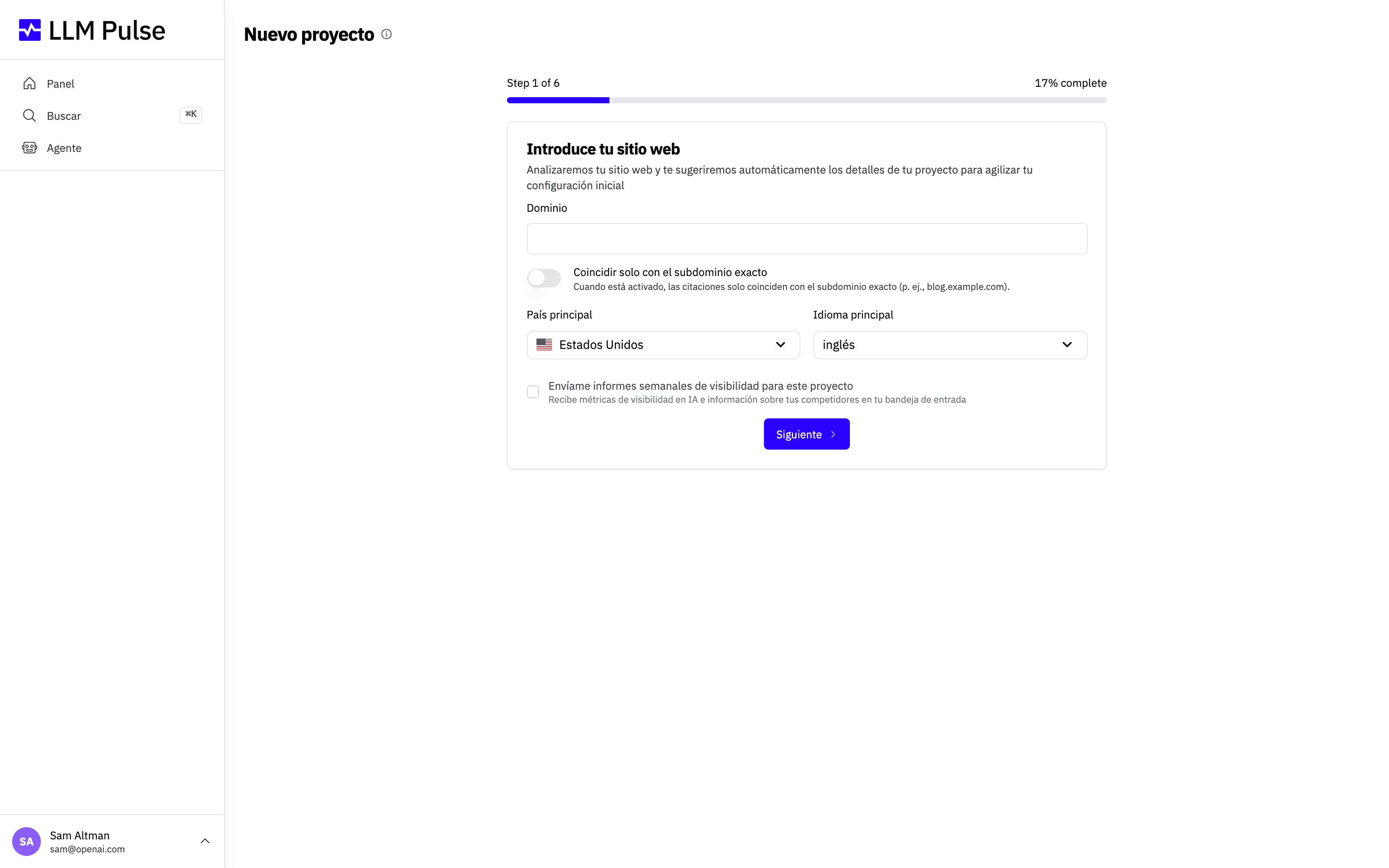
Tu configuración se guarda como un borrador sin terminar para tu usuario en la pestaña actual del navegador. Si actualizas la página mientras creas el proyecto, el asistente restaura los detalles y los prompts que ya has introducido. El borrador se borra cuando se crea el proyecto. Si confirmas la advertencia de la propia aplicación para salir, el borrador se borra; si te quedas en el asistente, se conserva.
El resto de pasos
Después de enviar tu sitio web, LLM Pulse lo analiza con IA y rellena el resto de la configuración por ti. Solo tienes que revisar y confirmar unos pocos detalles:
- Revisa los detalles del proyecto. Comprueba el nombre del proyecto, la industria, la descripción y los nombres coincidentes. Los nombres coincidentes nos ayudan a atribuir correctamente las menciones de tu marca en las respuestas de IA. Ajusta lo que no esté del todo bien. Si vuelves al paso del sitio web sin cambiar el sitio web, el país ni el idioma, tus cambios se conservan.
- Añade prompts. Elige entre los prompts sugeridos por IA generados a partir de tu sitio web, o crea los tuyos propios. Los prompts son las preguntas que lanzamos contra cada modelo de IA que monitorizas (ChatGPT, Perplexity, Gemini, Google AI Mode y Google AI Overviews), así que elige los que más importan para tu audiencia.
- Añade competidores. Añade las marcas contra las que quieres compararte. Esto alimenta tu Share of Voice y las comparaciones competitivas.
- Conecta tus medios propios (opcional, planes Growth y superiores). Pega la URL pública exacta de cada perfil que posee tu marca: canal de YouTube, perfil de Instagram, página de Facebook, perfil de TikTok, ficha de App Store y ficha de Google Play. Esto alimenta Medios propios y YouTube Intelligence. Puedes saltarte este paso y añadir las URL más tarde en Preferencias > Configuración del proyecto > Medios propios.
- Termina la configuración. Revisa el resumen del proyecto y confirma. Al terminar, LLM Pulse empieza a recopilar datos y tus primeros resultados aparecen a medida que se completan las ejecuciones.
Y ya está. Tu proyecto está activo y listo para monitorizar la visibilidad de tu marca en la búsqueda con IA.