Cómo añadir prompts a un proyecto
Añadir prompts en LLM Pulse es muy sencillo.
Puedes crearlos de varias formas, según lo estructurado o exploratorio que quieras que sea el proceso.
No tienes que darle demasiadas vueltas. El objetivo es empezar a recopilar datos reales de visibilidad en IA lo antes posible.
Todos los métodos están en un mismo lugar: Investigación de prompts. Desde un único campo de búsqueda de temas puedes añadir prompts manualmente o en bloque, o generarlos a partir de preguntas de People Also Ask, Google Search Console, Información de Reddit, temas, De palabras clave a prompts, traducciones y ángulos reputacionales.
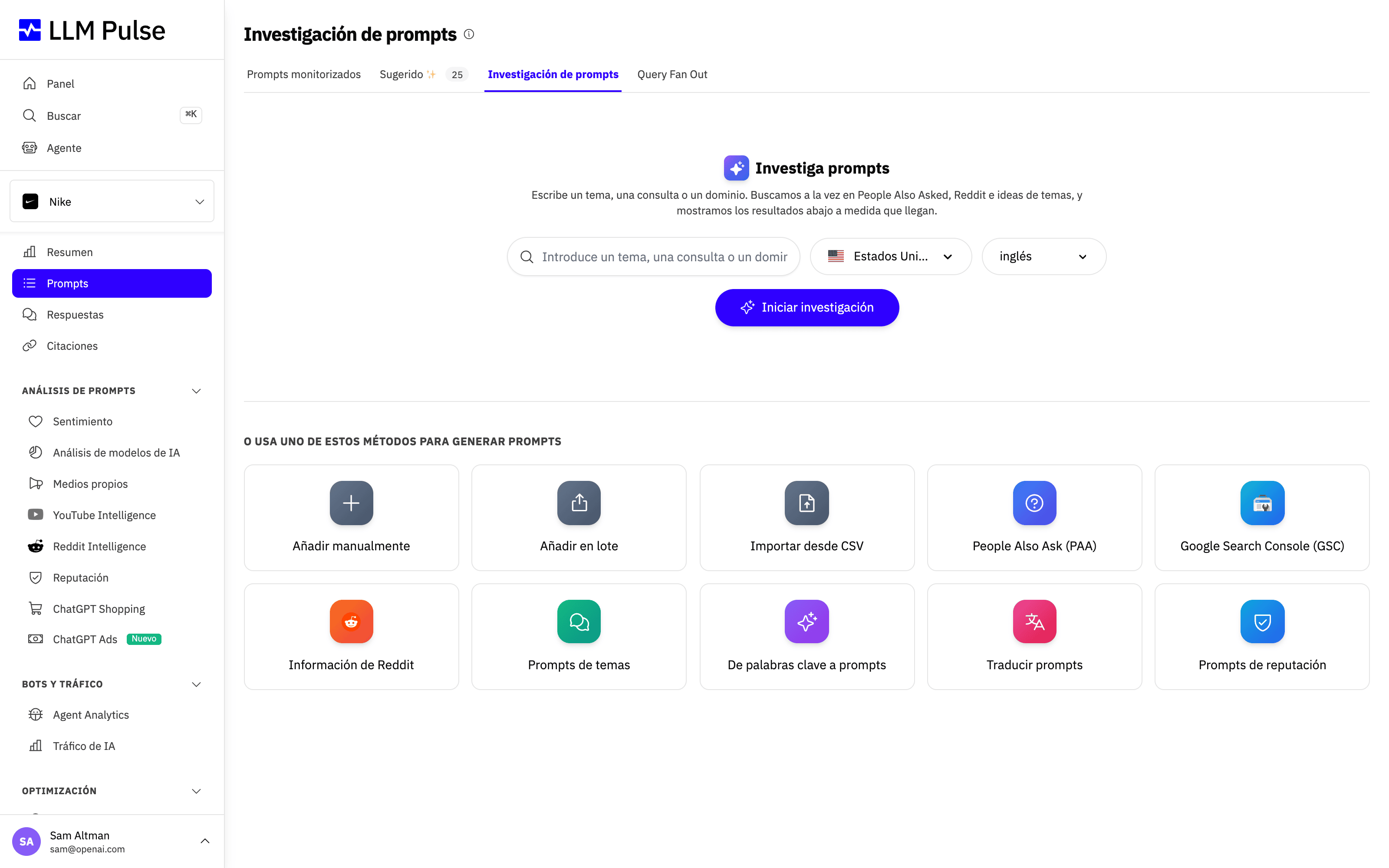
Puedes combinar cualquiera de estos métodos dentro del mismo proyecto. En las secciones siguientes se explica cuándo conviene usar cada uno.
1. Prompts generados por IA
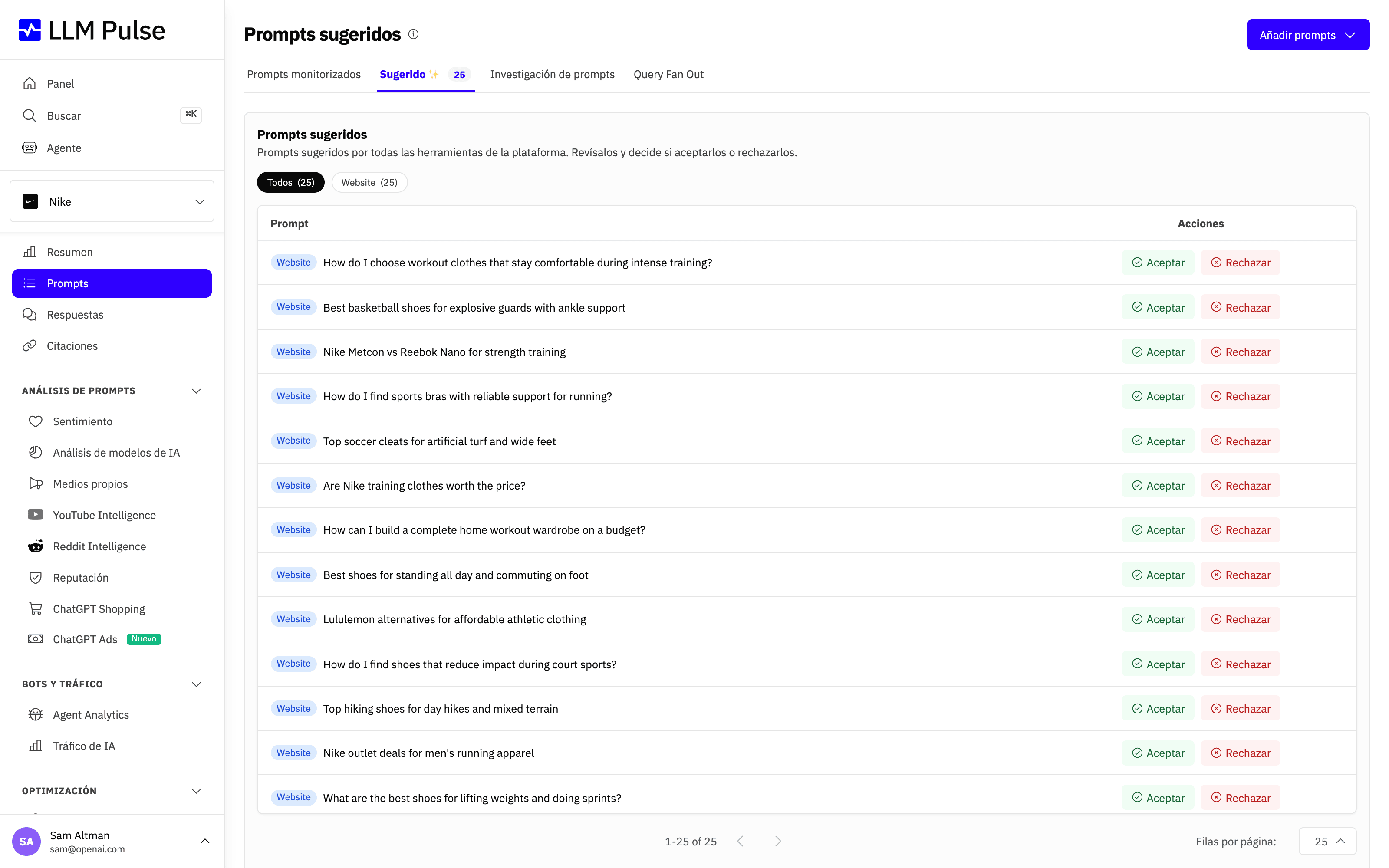
Cuando creas un proyecto nuevo, LLM Pulse sugiere automáticamente un conjunto inicial de prompts a partir del contexto del proyecto, para que puedas empezar a monitorizar la visibilidad en IA de inmediato.
El descubrimiento de prompts continúa con el tiempo. En Prompts > Sugerido aparecen nuevas ideas con regularidad, lo que te permite ampliar y perfeccionar lo que monitorizas a medida que evoluciona el proyecto.
Así, la investigación de prompts se convierte en un proceso continuo y tu análisis de visibilidad sigue siendo relevante cuando cambia tu enfoque.
2. Prompts manuales (individuales o en bloque)
También puedes añadir prompts manualmente siempre que lo necesites. Es útil cuando ya sabes qué quieres monitorizar y prefieres controlar por completo la configuración. Elige Añadir manualmente para crear prompts uno a uno o Añadir en lote para pegar una lista de una vez. Así puedes reutilizar listas de prompts existentes, migrar configuraciones desde otras herramientas o ampliar tus proyectos sin complicaciones.
Cuando añades un prompt manualmente, también puedes elegir los países y los idiomas de destino en los que debe ejecutarse, para que el seguimiento refleje los mercados que te importan.
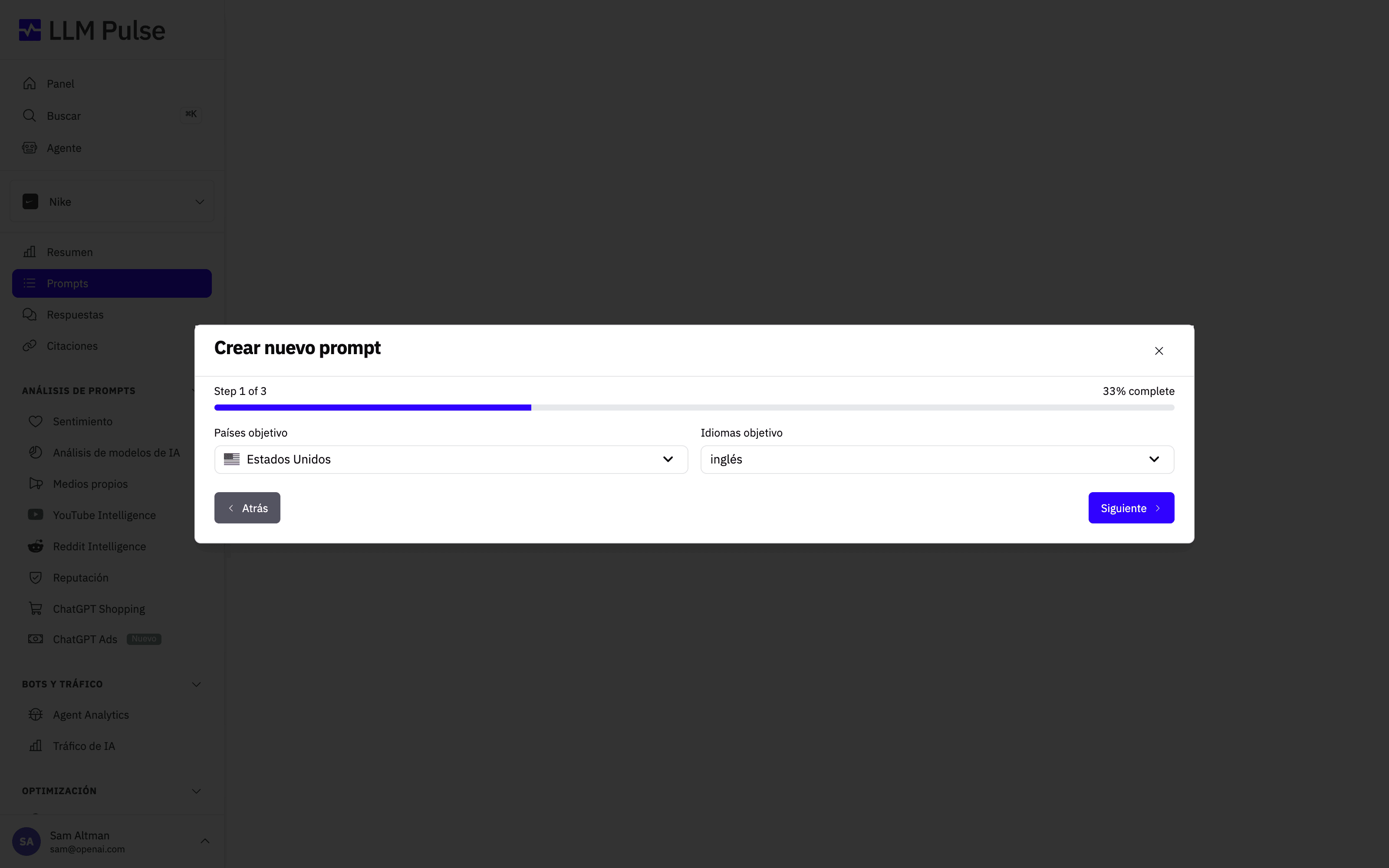
Un borrador sin terminar del modal Añadir prompts se conserva si actualizas la página en la misma pestaña del navegador. Vuelve a abrir el modal para recuperar la lista de prompts, el paso actual, el país, el idioma y la etiqueta. Los borradores se asocian a tu usuario y proyecto, y se borran después de crear los prompts correctamente o cuando cierras el modal de forma explícita.
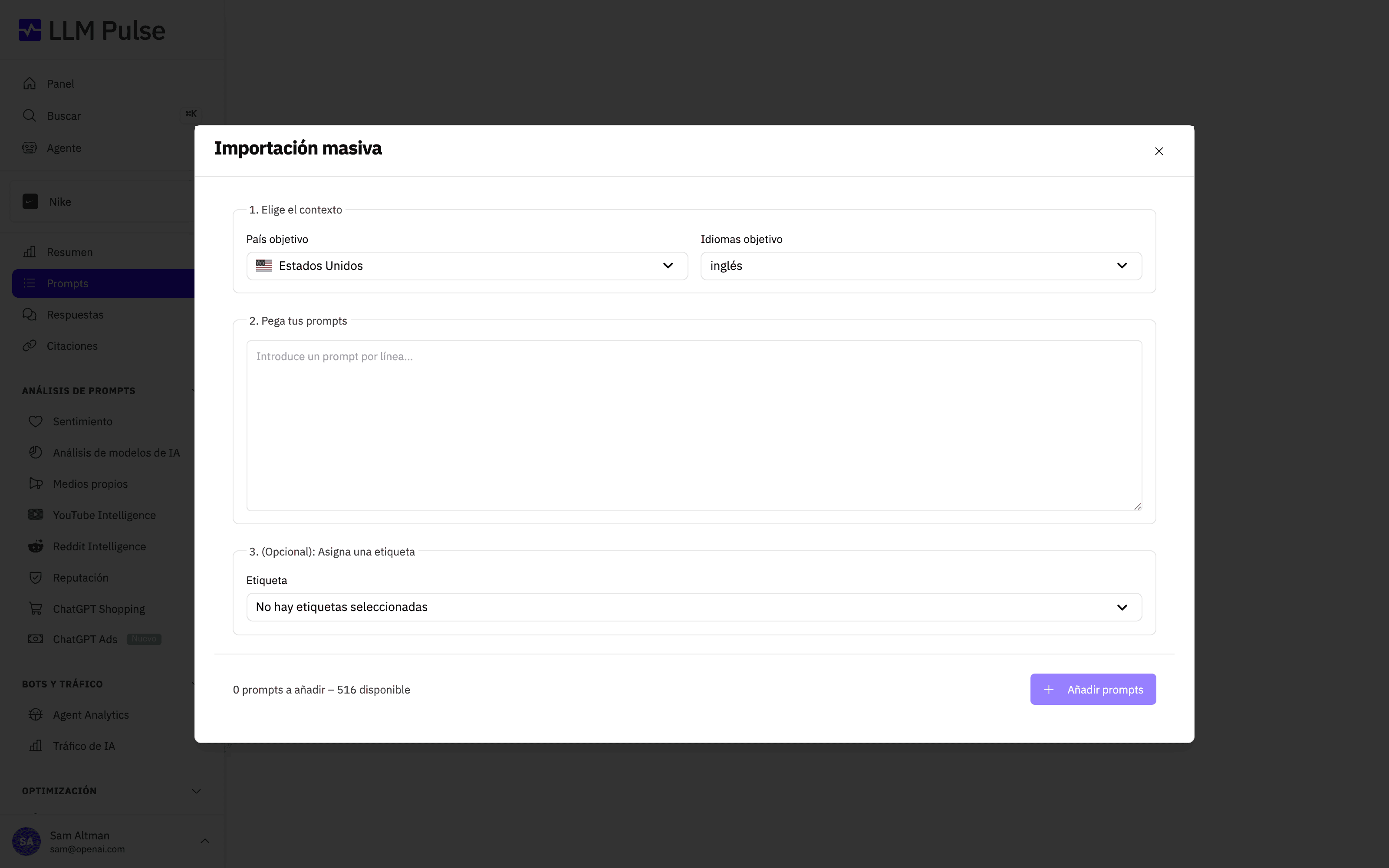
Para añadir muchos prompts a la vez, elige Añadir en lote, selecciona el país y el idioma de destino y pega un prompt por línea. Puedes asignar una etiqueta antes de importarlos todos juntos.
Si tus prompts están en una hoja de cálculo o en otra herramienta de visibilidad en IA, elige Importar desde CSV. Sube un archivo .csv con una columna de prompts y, opcionalmente, columnas de país, idioma y etiquetas (separa varias etiquetas con una barra vertical). Puedes descargar una plantilla lista para usar desde la ventana modal. Las celdas de país o idioma que dejes vacías usarán los valores predeterminados del proyecto. Las etiquetas que todavía no existan se crean automáticamente y los prompts duplicados se omiten, por lo que migrar un conjunto de prompts con todas sus etiquetas requiere una sola carga.
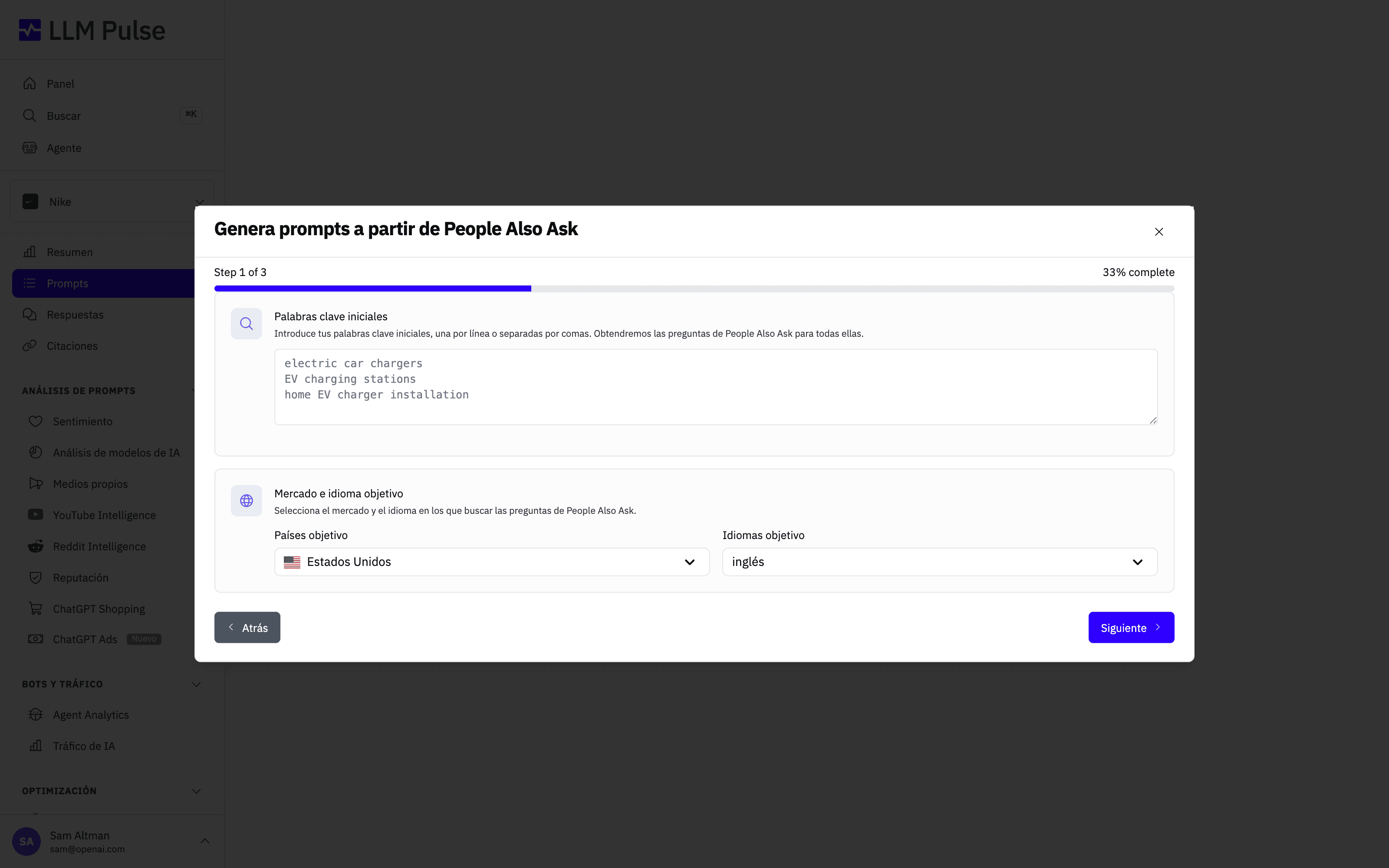
3. Google PAA (People Also Ask)
Puedes generar prompts directamente a partir de las preguntas de Google People Also Ask. Esto ayuda a conectar la intención de búsqueda tradicional con la forma en que las personas formulan preguntas a los asistentes de IA.
Puedes hacerlo con una palabra clave o con varias. Es especialmente útil si ya trabajas con datos de SEO, porque te permite ampliar la investigación existente a los modelos de lenguaje sin cambiar tu flujo de trabajo.
Se hace desde Investigación de prompts, seleccionando después People Also Ask.
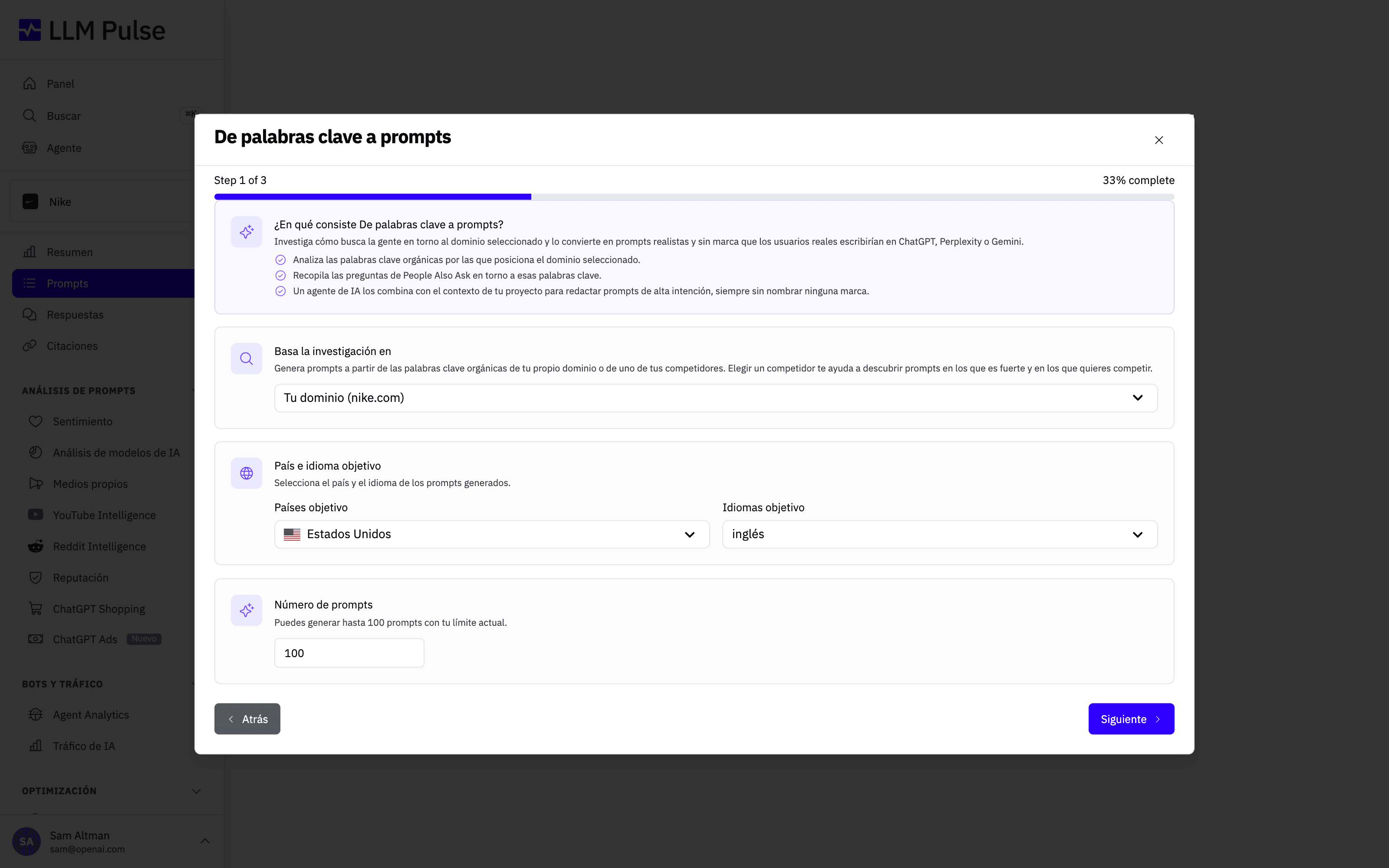
4. Prompts basados en palabras clave
De palabras clave a prompts puede partir de un tema, una marca, una palabra clave, una consulta completa, un prompt completo o un dominio. LLM Pulse conserva esa entrada exacta como tema principal, encuentra los términos de búsqueda más relacionados para el país y el idioma seleccionados y los convierte en prompts naturales que reflejan cómo buscan las personas en los modelos de lenguaje. Cuando partes de tu propio dominio o de un competidor configurado, los prompts generados siguen sin incluir la marca.
Es ideal cuando quieres variaciones muy centradas en una idea concreta sin dejar que el contexto más amplio del proyecto tome el control. Si quieres centrarte en las consultas que ya generan visibilidad orgánica, usa Google Search Console. Puedes acceder a ambas opciones desde Investigación de prompts.
Al conectar Google Search Console, puedes conservar la conexión (opción recomendada) para que los datos de Search Console sigan sincronizados y estén disponibles mediante el conector de API y MCP, o hacer una lectura única que no guarde nada. Mantener la conexión está disponible en el plan Growth y superiores.
Google Search Console en portales de marca blanca y embed
Conecta Google Search Console desde el espacio de trabajo principal de LLM Pulse. La opción de importación de Google Search Console permanece oculta en los portales de marca blanca y embed hasta que el proyecto seleccionado tenga una conexión de Google Search Console ya configurada. Una vez que el proyecto tiene esa conexión, la opción aparece y utiliza la propiedad asociada a esa conexión.
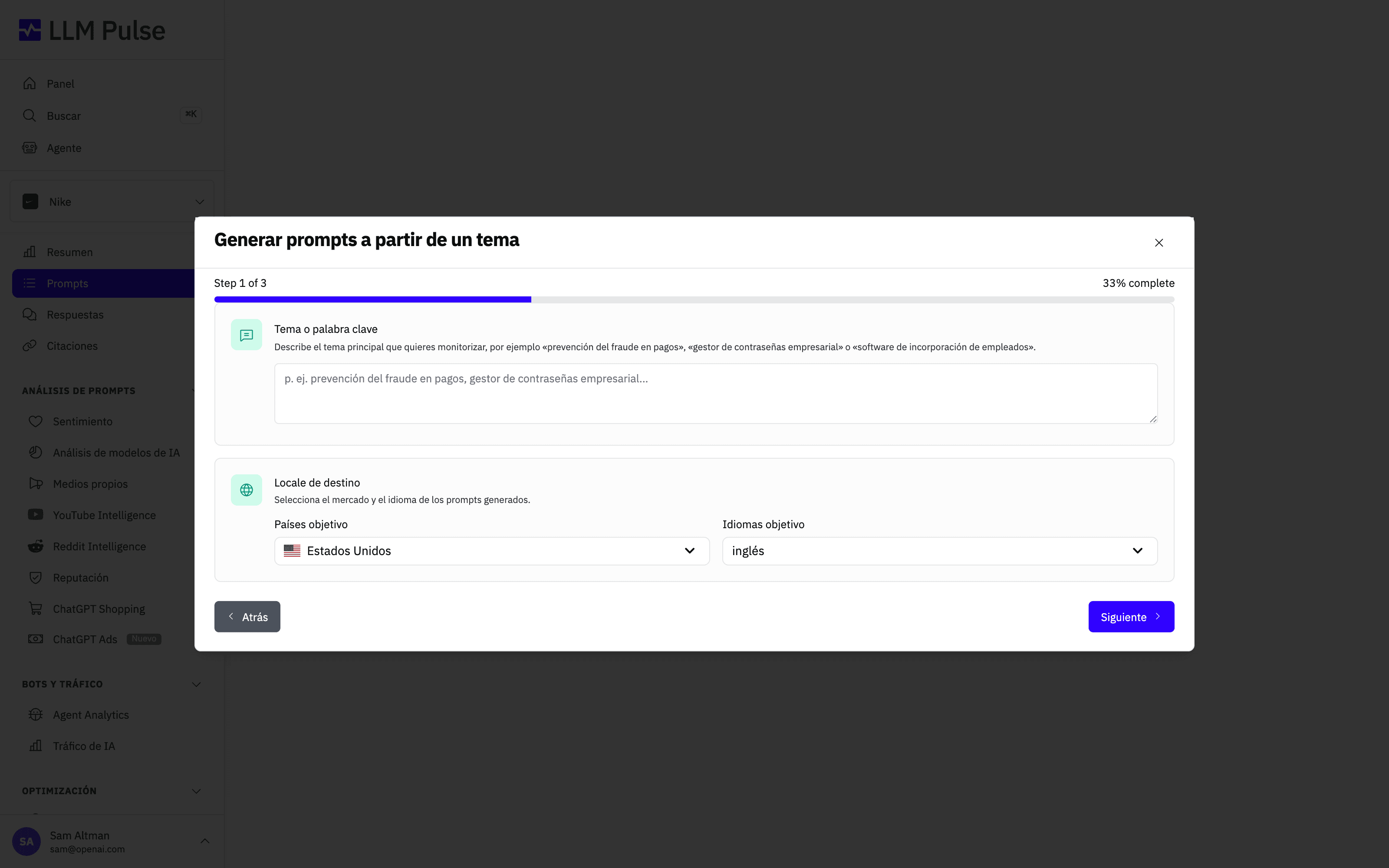
5. Prompts basados en temas
Puedes crear prompts definiendo temas concretos. LLM Pulse generará prompts en lenguaje natural relacionados con esos temas y te dará una cobertura amplia del asunto.
Este método funciona bien cuando quieres monitorizar un concepto, una categoría de producto o un área problemática. Puedes hacerlo desde Prompts de temas, en Investigación de prompts. También puedes usar Información de Reddit para descubrir las preguntas que hacen personas reales, Traducir para ampliar el seguimiento a otros idiomas y Prompts de reputación para monitorizar cómo hablan los modelos de IA de tu marca.
Añadir un mercado nuevo (país e idioma)
Una pregunta habitual es dónde añadir un mercado o un país a un proyecto existente. No hay una lista de mercados en Configuración del proyecto, porque en LLM Pulse un mercado es una combinación de país e idioma en cada prompt, no un ajuste del proyecto.
Esto significa que un mismo proyecto puede monitorizar tantos mercados como quieras. El país y el idioma que aparecen en el proyecto solo son los valores predeterminados que se aplican a los prompts nuevos y a las herramientas GEO. Cambiarlos no modifica los prompts que ya tienes.
Para abrir un mercado nuevo:
- Ve a Prompts y elige Traducir en Investigación de prompts. Selecciona la configuración regional de origen (el mercado que ya monitorizas) y, después, el país y el idioma de destino. Tus prompts se localizan para el nuevo mercado y los nombres de marca se conservan. Es la vía más rápida si quieres replicar un conjunto existente.
- También puedes añadir los prompts directamente con Añadir manualmente, Añadir en lote o Importar desde CSV, seleccionando el nuevo país y el idioma en el paso de configuración. Con un CSV puedes establecer un país y un idioma diferentes en cada fila.
- Asigna una etiqueta a cada mercado (por ejemplo, «Francia» o «México») para poder compararlos más adelante en el dashboard y en los informes.
Antes de empezar, conviene saber dos cosas:
- Cada combinación de país e idioma es un prompt independiente y utiliza un espacio de prompts. La misma pregunta monitorizada en España y en Francia cuenta como dos prompts para el límite de tu plan. El paso de revisión siempre muestra el número exacto de prompts que se crearán.
- Cuando los prompts ya existan, puedes filtrar por país e idioma en las vistas Resumen, Prompts, Respuestas y Citaciones, para analizar cada mercado por separado.
Longitud de los prompts
Procura que cada prompt sea breve, como la pregunta que alguien escribiría en un asistente de IA. El seguimiento en Google AI Mode y Google AI Overviews admite prompts de hasta 700 caracteres, y el seguimiento en ChatGPT y Gemini admite prompts de hasta 2.000 caracteres. Un prompt más largo se añade igualmente y se monitoriza en el resto de tus modelos, pero no en aquellos cuyo límite supera, así que no tendrá respuestas de esos modelos. Verás un aviso al añadir un prompt así, y la página del prompt indica en qué modelos no se monitoriza. Acorta el prompt para monitorizarlo en todos tus modelos.
Conclusiones
Puedes combinar todos estos métodos dentro del mismo proyecto. No hay una configuración «correcta». Empieza con algo sencillo, revisa los datos y ve ajustando lo que realmente importa para tu caso de uso. Cada prompt que añadas se monitoriza automáticamente en todos los modelos de IA que monitorizas (ChatGPT, Perplexity, Gemini, Google AI Mode y Google AI Overviews), para que obtengas datos de visibilidad coherentes y comparables desde el primer día, sin configuración adicional.
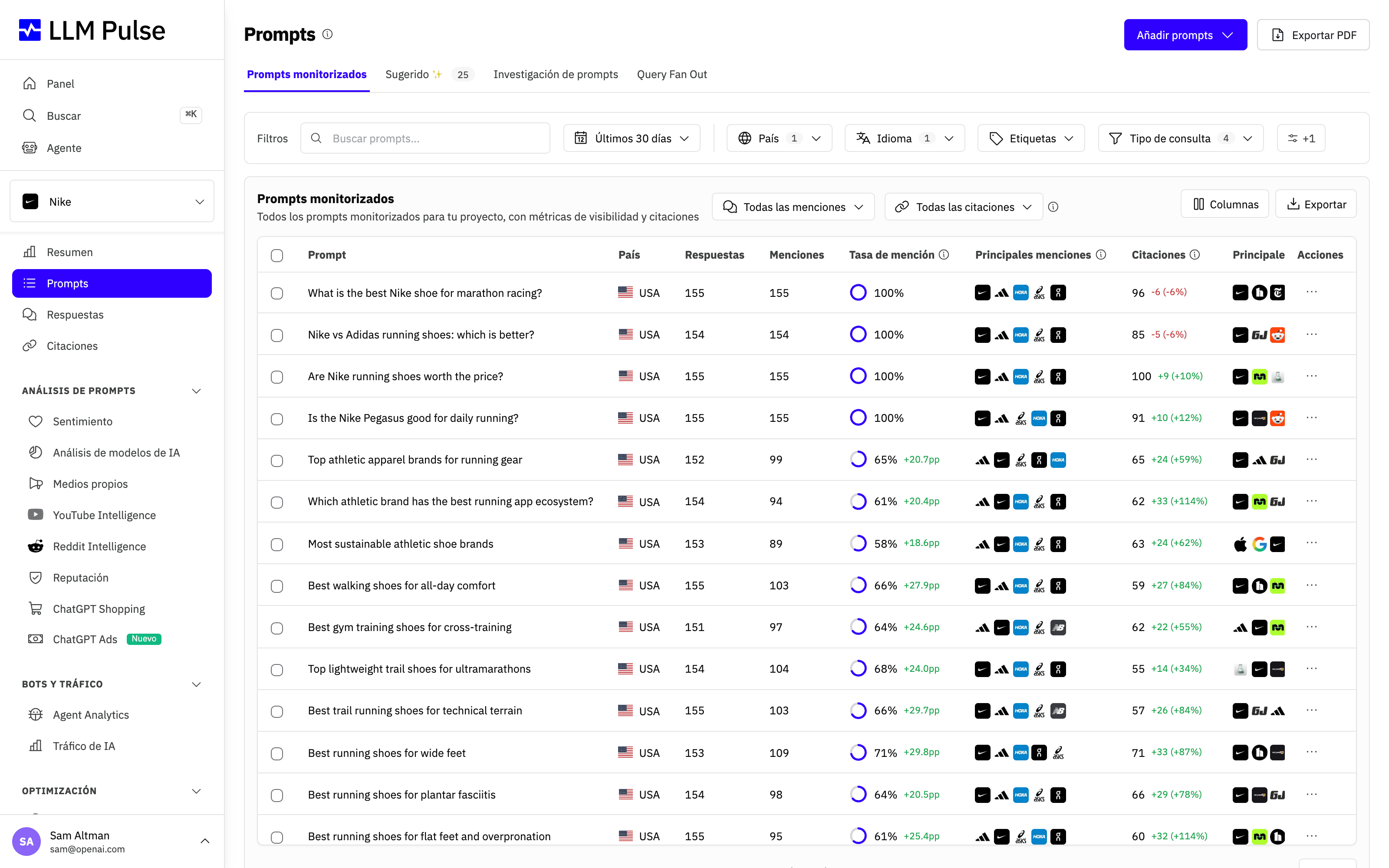
Una vez añadido, cada prompt aparece en la pestaña Prompts con su propia tasa de mención, sus citaciones y el cambio respecto a la semana anterior, para que puedas ver de un vistazo en qué consultas ya destacas y dónde tienes margen de crecimiento.
Añadir prompts nunca debería convertirse en un cuello de botella. LLM Pulse está diseñado para eliminar fricciones del proceso, para que dediques tu tiempo a analizar información y tomar decisiones, no a configurar la herramienta.