Cómo eliminar un proyecto
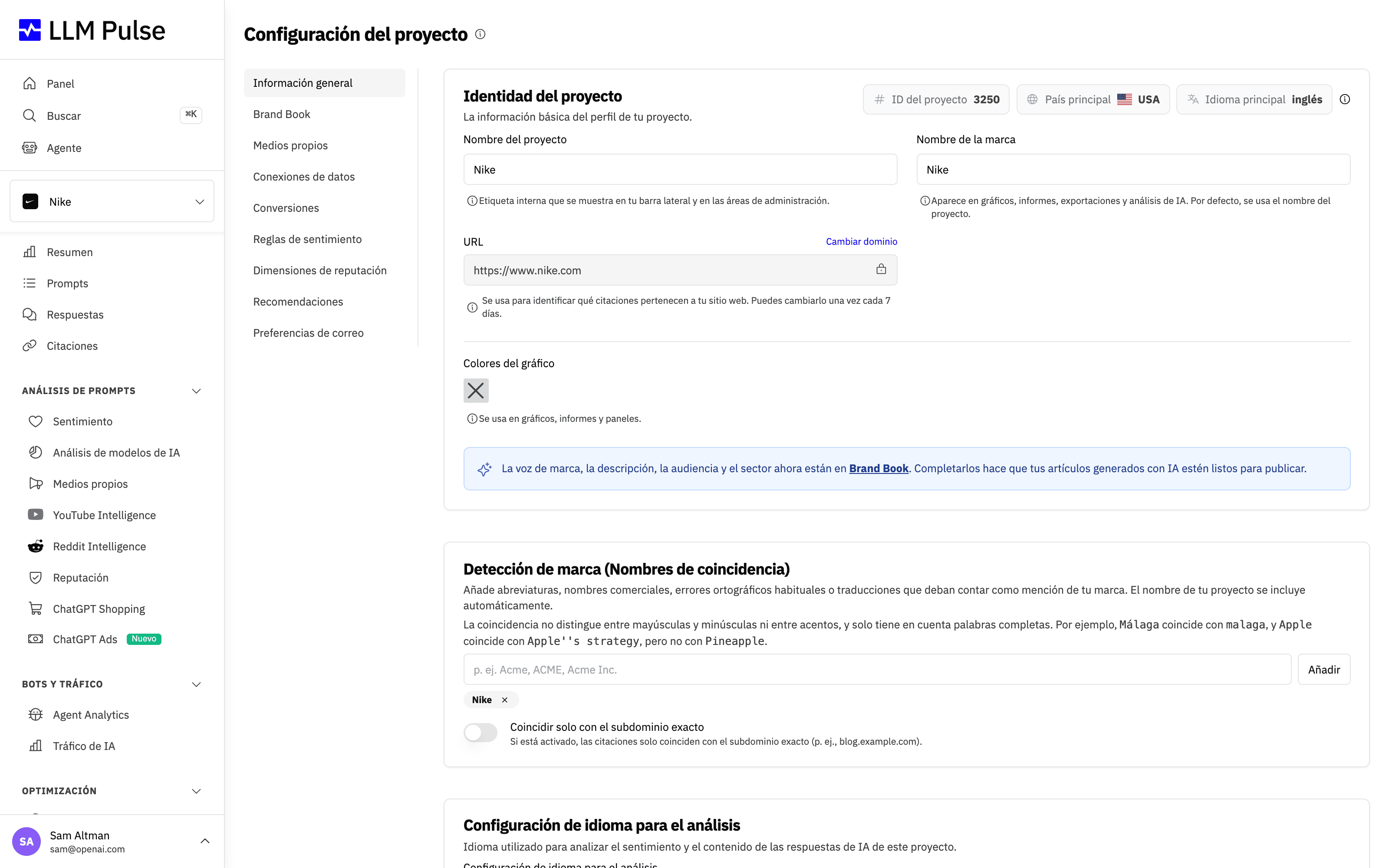
Abrir Configuración del proyecto
Para eliminar un proyecto en LLM Pulse, ve a Preferencias > Configuración del proyecto en la barra lateral izquierda. Esta página contiene la identidad de tu proyecto, la detección de marca y la configuración de idioma. Desplázate hasta el final para encontrar la opción "Eliminar proyecto" y haz clic en el botón "Eliminar proyecto" para continuar.
Confirmar la eliminación
Aparecerá una ventana de confirmación advirtiéndote de que la eliminación es permanente. En ella se enumeran todos los elementos que se eliminarán junto con el proyecto: prompts, respuestas de IA, menciones, citaciones, datos de sentimiento y el historial completo de métricas.
Para continuar, marca la casilla "Entiendo que este proyecto y todos sus datos se perderán para siempre", escribe tu propio nombre de proyecto exactamente como aparece (por ejemplo "Nike") en el campo indicado y haz clic en el botón "Eliminar definitivamente".
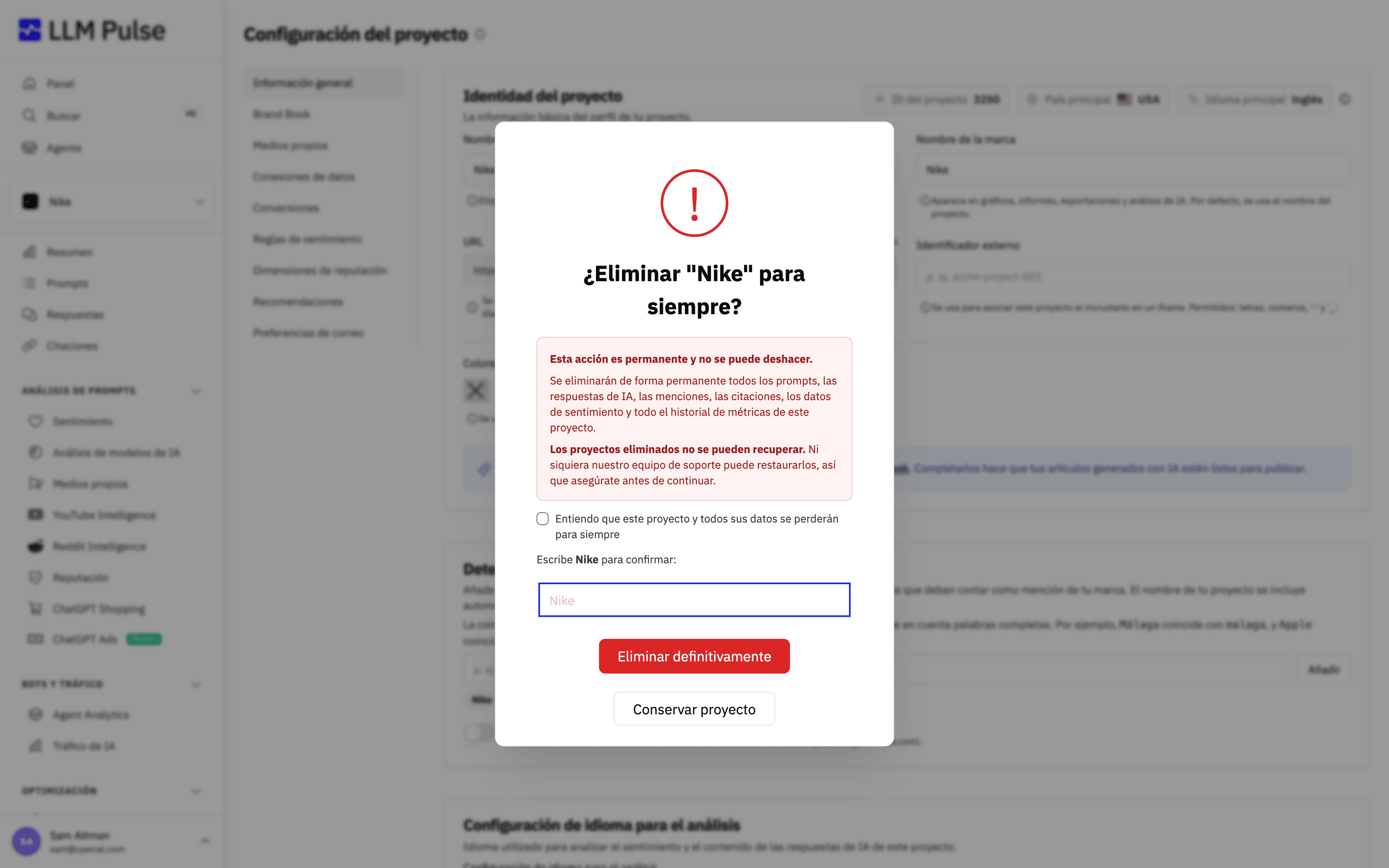
Los proyectos eliminados no se pueden recuperar, ni siquiera por nuestro equipo de soporte. Todos los datos del proyecto se borran de forma permanente, así que asegúrate de que ya no necesitas el proyecto antes de eliminarlo. Si solo quieres dejar de monitorizarlo temporalmente, considera conservar el proyecto y reducir sus prompts.