Claves de API: autentica REST, CLI, SDK y MCP
Las claves de API autentican tu acceso programático a los datos de LLM Pulse. Úsalas con la CLI nativa de Rust, los SDK oficiales, la REST API, la integración con MCP y el conector de Looker Studio. Disponibles en planes Scale y superiores.
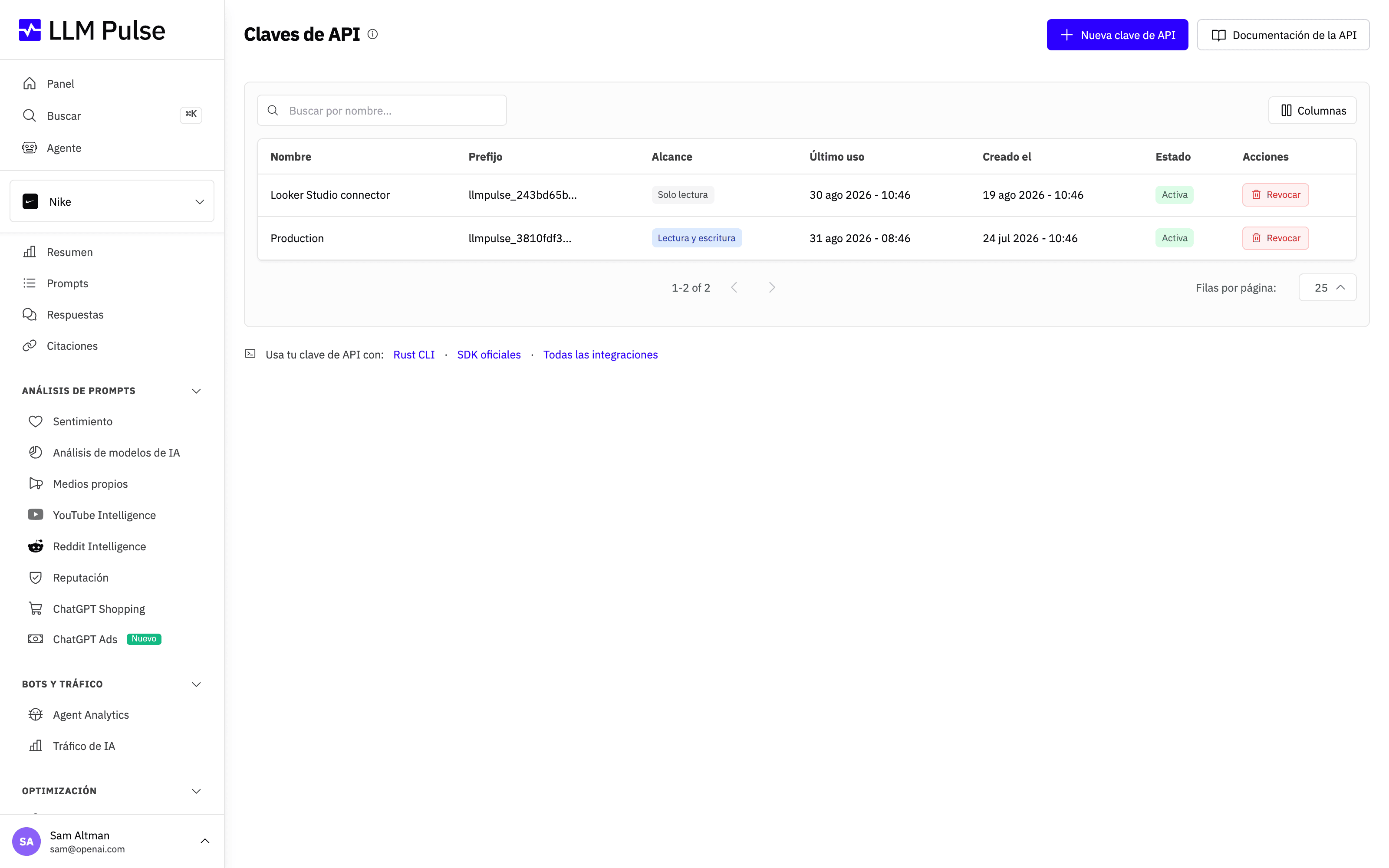
La página Claves de API muestra todas las claves que has creado, su prefijo y la fecha del último uso, y te permite generar claves nuevas o revocar las antiguas.
Qué hace
- Crear claves de API con nombres personalizados para distintos usos
- Mostrar el prefijo y la fecha del último uso para identificarlas
- Las claves empiezan por el prefijo
llmpulse_ - Permitir revocar las claves que ya no necesites
Cómo usarla
- Haz clic en tu nombre/avatar, en la parte inferior izquierda de la barra lateral
- Haz clic en Claves de API
- Haz clic en Crear clave de API y dale un nombre descriptivo
- Copia la clave completa de inmediato; solo se muestra una vez
- Usa la clave como token Bearer:
Authorization: Bearer llmpulse_your_key_here - Revoca desde la misma página las claves que ya no necesites
Si cambias de plan
Las claves de API solo funcionan mientras tu cuenta esté en el plan Scale o en uno superior. Si la cuenta pasa a un plan inferior, sus claves siguen apareciendo en la lista y aún puedes revocarlas, pero todas las solicitudes que se hagan con ellas se rechazan con ERR_PLAN_REQUIRED (403). Vuelven a funcionar en cuanto la cuenta regresa al plan Scale o a uno superior. Las conexiones MCP que inician sesión con OAuth no se ven afectadas, porque no usan ninguna clave de API.
Consejos y notas
- Disponible en planes Scale y superiores
- Límite de API: 300 solicitudes por minuto y por clave
- Mantén tus claves de API en secreto; nunca las expongas en código del lado del cliente ni en repositorios públicos
- La misma clave funciona con la REST API, la CLI nativa de Rust, los SDK oficiales, MCP sin interfaz y el conector de Looker Studio
- Cada clave tiene un prefijo visible en la lista para identificarla sin mostrar la clave completa