Visión general de la API REST
La API REST de LLM Pulse ofrece acceso programático a todos tus datos de visibilidad en IA. Úsala para crear paneles personalizados, automatizar informes o integrar los datos de visibilidad en IA en tus flujos de trabajo existentes. Disponible en los planes Scale y superiores.
Con la API REST de LLM Pulse, puedes:
- Extraer menciones, citaciones, visibilidad, sentimiento y datos de la competencia de forma programática
- Alimentar tus propios paneles y herramientas de BI con métricas de visibilidad en IA
- Automatizar los informes semanales en lugar de exportarlos a mano
- Crear alertas y flujos de trabajo personalizados a partir de tus datos
Qué hace
- Endpoints de métricas: datos de series temporales, estadísticas resumidas y cálculos de Share of Voice
- Endpoints de dimensiones: listar proyectos, competidores, prompts, menciones y citaciones
- Endpoint de prompts: crear hasta 100 prompts de forma masiva mediante programación
- Intelligence Tasks: crear, listar y recuperar tareas de contenido con IA mediante la API
- Endpoint de answers: acceder a las respuestas completas de la IA mediante la API
Elige cómo quieres trabajar
- Usa la CLI nativa de Rust para consultas en la terminal, scripts de shell, exportaciones CSV programadas y trabajos de CI en macOS, Linux o Windows
- Añade uno de los SDK oficiales para TypeScript, Python, Go, Java, Kotlin, C#, PHP, Ruby, Rust, Swift, Dart o R
- Llama directamente a los endpoints REST con cualquier cliente HTTP cuando quieras controlar completamente las peticiones
Cómo usarla
Todo empieza en la página de API Keys, donde generas el token bearer que la API usa para autenticar cada petición.
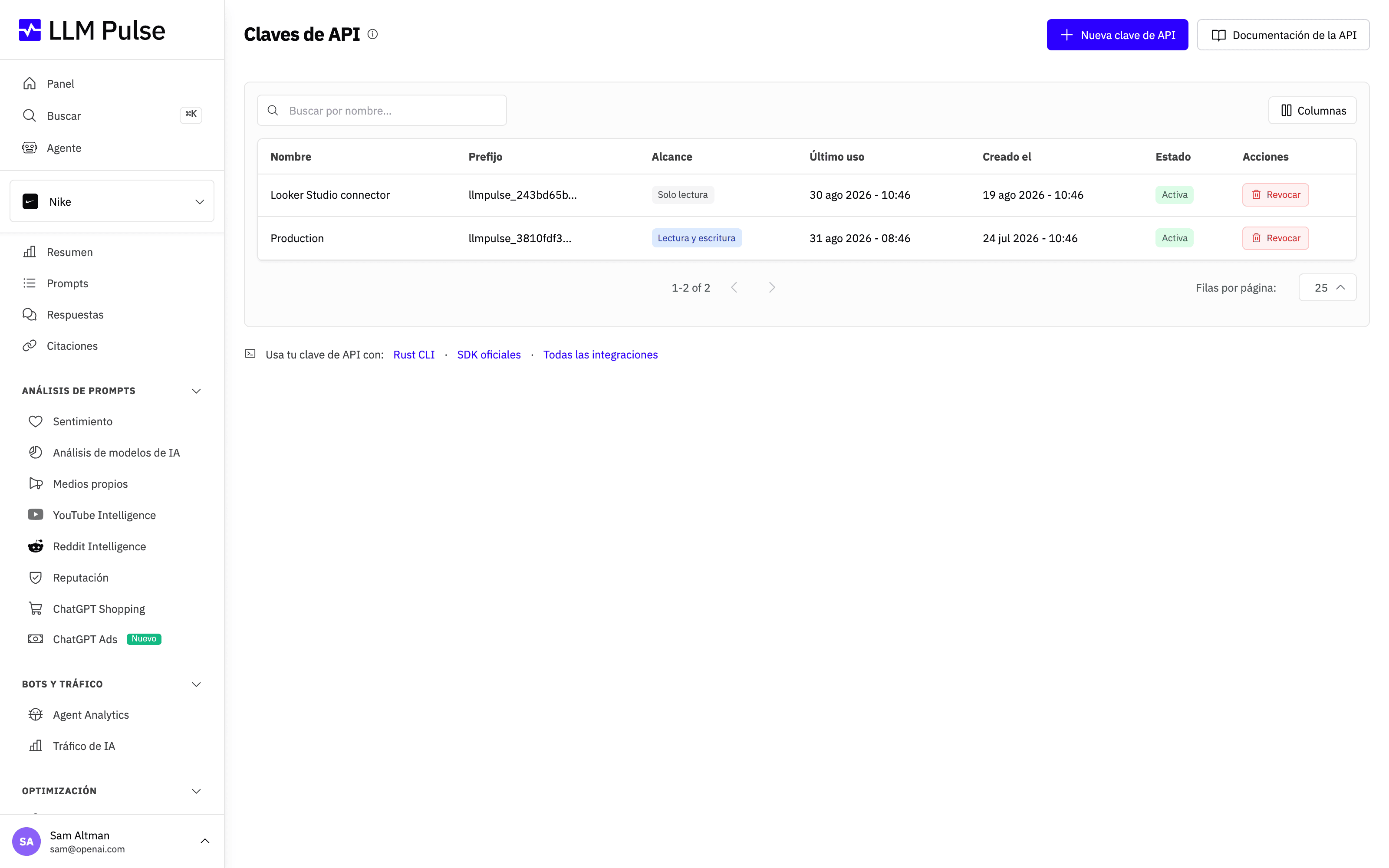
- Abre el menú del perfil desde tu nombre o avatar, en la parte inferior izquierda de la barra lateral, y elige Claves de API
- Añade la clave como token Bearer:
Authorization: Bearer llmpulse_your_key_here - URL base:
https://api.llmpulse.ai/api/v1 - Empieza con
GET /api/v1/dimensions/projectspara listar tus proyectos - Usa
GET /api/v1/metrics/timeseries?project_id=ID&metrics=mentions,visibility&range=30para obtener datos de métricas
Consejos y notas
- Disponible en Scale y superiores
- Límite de 300 peticiones por minuto
- Todos los endpoints admiten el formato JSON
- Se admiten las cabeceras ETags y Last-Modified para el almacenamiento en caché
- Códigos de error estándar:
ERR_MISSING_AUTH,ERR_INVALID_API_KEY,ERR_PROJECT_NOT_FOUND - La documentación completa de la API está disponible en /api-docs
- Sigue los nuevos endpoints, cambios de comportamiento, obsolescencias y correcciones mediante el feed RSS de cambios de la API
- ¿Prefieres una terminal? Descarga la CLI nativa de Rust para macOS, Linux o Windows
- ¿Prefieres un cliente tipado? Consulta los SDK oficiales para TypeScript, Python, Go, Java, Kotlin, C#, PHP, Ruby, Rust, Swift, Dart y R