
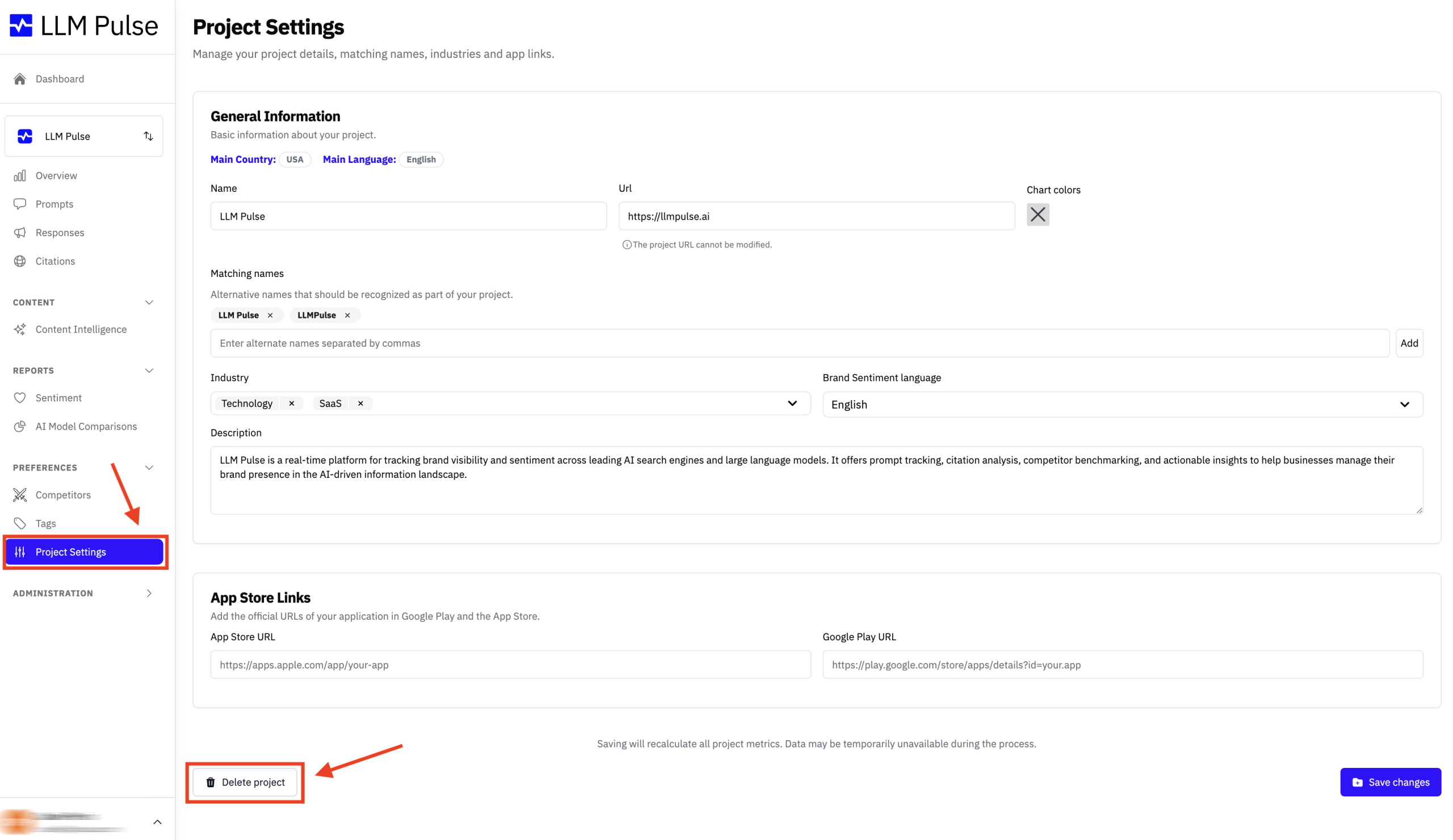
To delete a project in LLM Pulse, first, go to the “Project Settings” section located in the left sidebar under “Preferences.” Once there, you will see the option to delete your project at the bottom of the page. Simply click the “Delete Project” button to proceed.
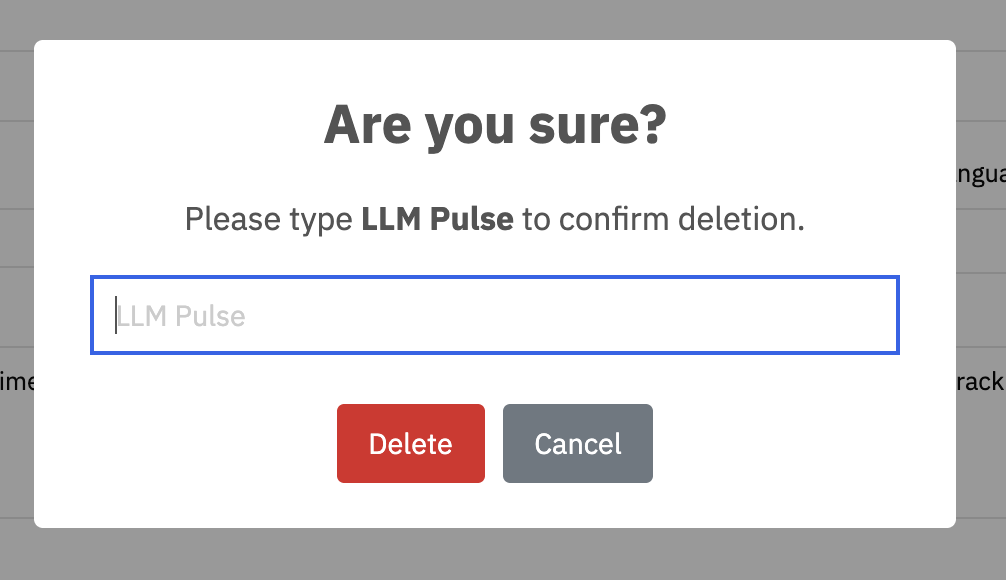
A confirmation window will appear asking you to type the project name to confirm the deletion. In this case, type “LLM Pulse” in the field provided and click the “Delete” button.
This action is irreversible, so ensure that you no longer need the project before proceeding with deletion.


